
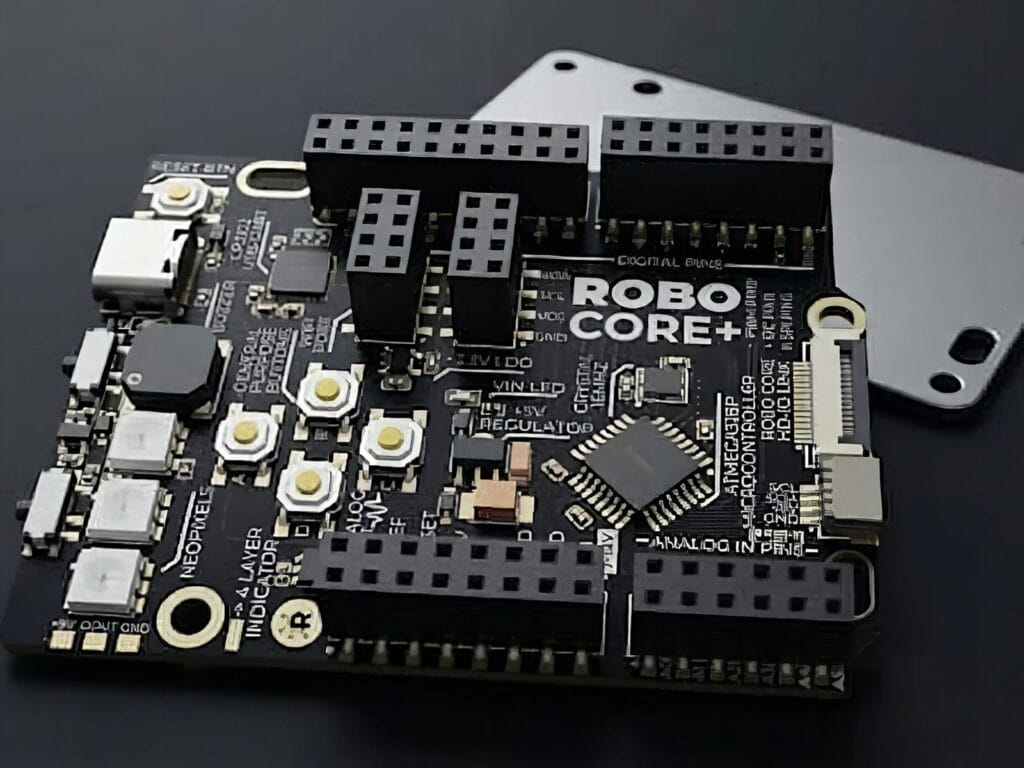
If you’ve ever opened a fresh Arduino kit and wondered why you still need a breadboard, a tangle of jumpers, and a bench scope before you can do anything interesting, ROBO CORE+ was designed for you.
ROBO CORE+ is a new development board that keeps full pin-compatibility with the Arduino UNO Rev3 footprint, but layers on a stack of onboard parts so beginners aren’t digging through a parts bin before they can blink an LED. Tactile buttons, RGB LEDs, a buzzer, and a snap-in OLED port live directly on the PCB, which means a first project can be coded and run without touching a single jumper wire.
It also drags the classic UNO formula into the modern era. The aging micro-USB connector is replaced with USB-C, and a Wi-Fi radio is integrated on the board itself, so connected projects don’t require add-on shields or external modules. A true 12-bit digital-to-analog converter sits alongside the standard PWM outputs, opening up cleaner audio synthesis, smoother waveform generation, and serious signal-instrumentation experiments.
RoboStudio and the Instrument Lab
The companion software, RoboStudio, runs entirely in the browser. It mixes block-based programming with live C++ translation, plus AI-assisted debugging and a serial monitor with real-time data visualization. The headline feature is the “Instrument Lab,” which turns the board itself into a miniature electronics bench: oscilloscope-style waveform display, FFT analysis, configurable triggers, and a built-in signal generator. For students who can’t justify a real scope yet, that’s a big deal.
The project also leans heavily into structured learning. An interactive Quest Map walks newcomers through progressively harder STEM activities, while a 40-page printed companion offers a more traditional reading path for anyone who absorbs material better away from a screen. ROBO CORE+ is aimed at classrooms and self-taught makers as much as it is at weekend hobbyists.
Build it yourself
ROBO CORE+ launches on Kickstarter soon, but the underlying ideas are already approachable today. To prototype a similar setup, pair an Arduino UNO R4 WiFi (or an ESP32 dev board for built-in wireless) with an SSD1306 OLED display, a passive piezo buzzer, a few tactile pushbuttons, and a WS2812 RGB LED module. A USB-C breakout rounds it out if your base board still uses micro-USB. Circuit.Rocks stocks all of these parts.
Frequently Asked Questions
What makes ROBO CORE+ different from a regular Arduino UNO?
Beyond matching the UNO Rev3 pinout, ROBO CORE+ adds onboard Wi-Fi, USB-C, a 12-bit DAC, an OLED port, RGB LEDs, tactile buttons, and a buzzer, so you can prototype interactive and connected projects without breadboards or shields.
Do I still need an oscilloscope to learn how signals work?
Not for beginner-level work. The board’s Instrument Lab exposes oscilloscope-style waveform capture, FFT analysis, trigger modes, and a signal generator through the RoboStudio browser app, which covers most hobbyist signal exploration without buying bench gear.
What will I learn if I build with ROBO CORE+?
You’ll pick up Arduino-flavored embedded C++, basic Wi-Fi networking, driving OLED displays and RGB LEDs, generating analog signals with a real DAC, and reading signals like an engineer using oscilloscope and FFT views — useful skills for IoT, robotics, and audio projects alike.
