
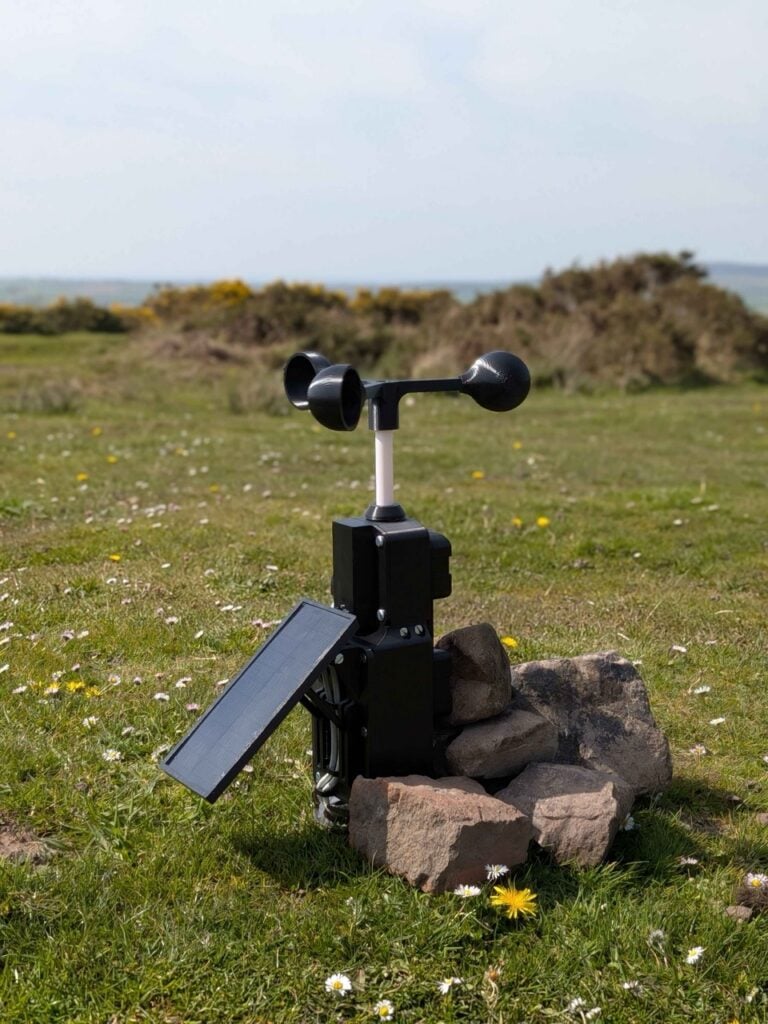
Grab a Raspberry Pi Zero W (1 GHz single core, built-in WiFi), a temperature and humidity sensor, an anemometer, a small solar panel and a sealed box rated IP65. That shopping list is the whole idea behind a mobile weather station by student Jack Young, covered in Raspberry Pi’s news post.
What Young built
The station started as a year-3 dissertation project. Young noticed that hobbyists, students and researchers had few options for a portable, affordable station that still logs a full set of local conditions. His answer runs entirely on solar power, records temperature, humidity and wind speed, and uses the solar panel itself to measure light intensity. Data goes over WiFi to an external web server for analysis.
The kit is modular, so parts come off for transport and go back on at the site. A green LED lights when the box is switched on, and a blue LED signals that the code is running and the station is ready. Young tested the full kit on the Gower Peninsula near Swansea in April.
Where the gotchas hide
- The Zero W was picked for low power draw and small size, which kept the enclosure compact enough to carry.
- Keeping the IP65 rating meant every cable entry needed a gasket or grommet. Young went through several enclosure revisions to get an airtight lid.
- The custom PCB took multiple layouts, and a dodgy solder joint only showed up after full assembly. Test each sensor on a breadboard before you commit to solder.
For a classroom version, the tricky part is power. A sensor on I2C (SDA and SCL, with 4.7k pull-up resistors if your breakout lacks them) costs almost nothing in current, but the Pi’s WiFi radio does. Log readings every 5 to 10 minutes instead of continuously and your solar budget goes much further.
Wrap-up: try a scaled-down version
Start indoors: wire a BME280 to a Pi, read it with a Python library, and push readings to a CSV file. Add the anemometer on a GPIO pin using a pulse counter next, then move everything to a weatherproof box once the code is stable. Raspberry Pi boards and sensor breakouts are stocked at circuit.rocks, and the project write-up is linked above. The latest Raspberry Pi Official Magazine issue is a weather projects special and is free as a PDF.
Frequently Asked Questions
Why did the builder choose a Raspberry Pi Zero W?
It was the most cost-effective low-power option, its 1 GHz clock and built-in WiFi allow fast data transfer to a web server, and its small size shrank the enclosure.
What does the weather station measure?
It records temperature, humidity and wind speed with an anemometer, and the solar panel doubles as a light intensity sensor for the site.
What will I learn if I build this?
You practice sensor wiring and logging, power budgeting for solar, soldering and PCB layout, and weatherproofing to an IP rating. These skills fit thesis, capstone and STEM class projects.
