
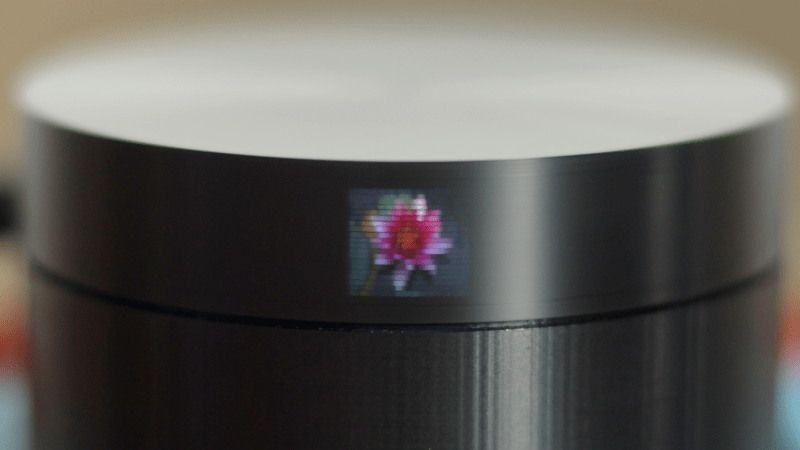
Clear a corner of your workbench and gather a handful of parts, because this palm-sized television is an afternoon build, not a semester project. Here is the shopping list for a Scanwheel of your own:
- A Raspberry Pi Pico to run the show
- An A4988 stepper driver
- A 21-02485 stepper motor (or a similar small NEMA-style unit)
- Five LEDs, plus current-limiting resistors
- A 3D-printed case and spinning disk
The Scanwheel, built by a maker who goes by [Ancient], is a mechanical TV that fits in your hand. Instead of a glowing panel, it leans on persistence of vision: your eye holds each flash of light for a fraction of a second, so a row of blinking LEDs seen through a moving slit reads as a solid picture. Spin the disk fast enough and the flicker melts into an image.
How the picture actually forms
The disk sitting on top of the case carries 20 small holes spaced evenly around its edge, each drilled at a slightly different height. As the motor turns, only one hole passes in front of the LEDs at a time, so light escapes in a scanning line rather than a wash. The Pico drives the stepper up to roughly 900 RPM through the A4988, then fires the LEDs in a precise order timed to the disk position. Get that timing right and the holes trace out a grid.
The payoff is a 20×20 pixel color display in the center, flanked by two more 20×20 black-and-white panels that can each show a different image. Five LEDs feed all three. The whole coordination job lives on the Pico‘s GPIO pins, which is why the wiring stays simple enough to manage on a breadboard before you commit anything to a soldered protoboard. Small light baffles in the base keep the LEDs from bleeding into each other, a detail worth copying if your first image looks smeared.
Give it a spin
The full build guide, firmware, and disk files are on the project’s GitHub repository, so you can match the hole spacing and LED timing exactly. If your image drifts or tears, start by trimming the RPM and re-checking when each LED switches relative to the disk index, that pairing is where persistence-of-vision builds usually go wrong.
Frequently Asked Questions
What makes the Scanwheel show a picture without a screen?
It relies on persistence of vision. A disk with 20 holes spins in front of five LEDs at about 900 RPM, and the Raspberry Pi Pico flashes the LEDs in time with the moving holes so your eye blends the flickers into a 20×20 image.
What parts and skills do I need to build one?
You need a Raspberry Pi Pico, an A4988 stepper driver, a small stepper motor, five LEDs with resistors, and a 3D-printed case and disk. No advanced soldering is required, but you will spend time tuning the LED timing against the disk position.
What will I learn if I build this?
You will practice driving a stepper motor with an A4988, coordinating GPIO outputs with precise timing on the Pico, and reasoning about persistence of vision, all transferable skills for robotics, displays, and thesis-level embedded projects.
