
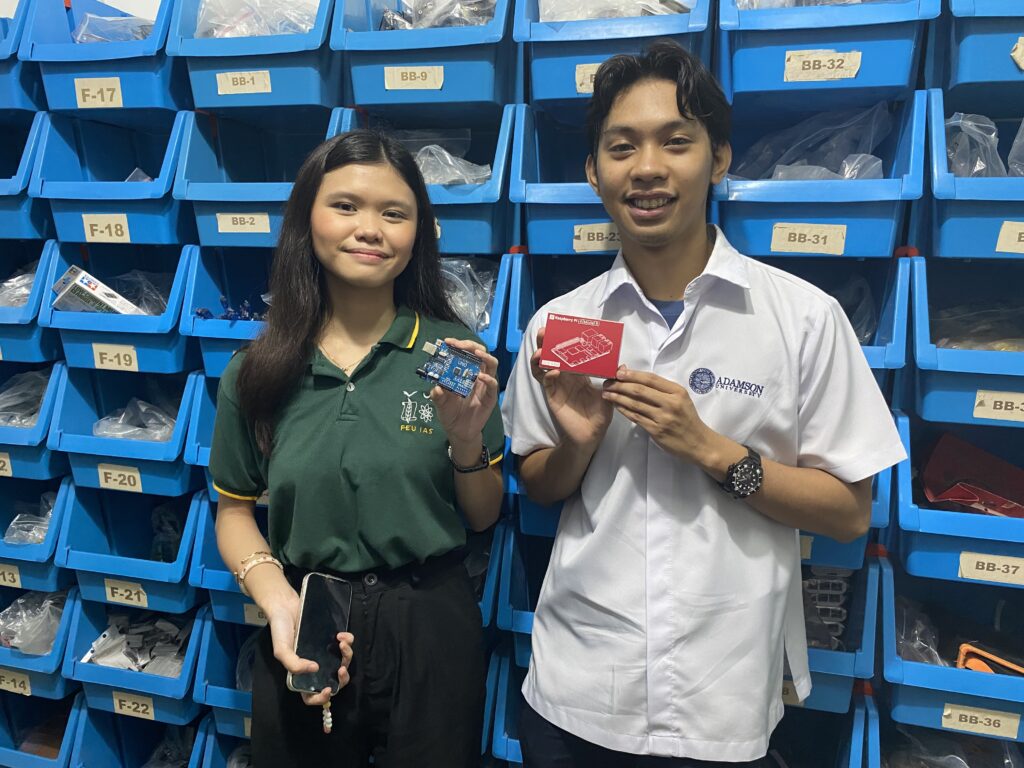
Who should use what
- Arduino — Best for absolute beginners, basic sensors/relays, science fair projects with simple logic. Madaling i-wire at i-code.
- ESP32 — For IoT (Wi-Fi/BLE), logging to Google Sheets, web dashboards, and more speed than Arduino.
- Raspberry Pi — Mini computer for vision, databases, Python apps, and multi-service projects (camera, Flask, Node-RED).
Budget cue: Arduino (₱) < ESP32 (₱₱) < Raspberry Pi (₱₱₱). Actual prices vary by model and market availability.
Quick comparison
| Feature | Arduino (Uno/Nano) | ESP32 Dev Board | Raspberry Pi (Zero 2 W / 4 / 5) |
|---|---|---|---|
| Type | Microcontroller | Microcontroller (dual-core, Wi-Fi/BLE) | Single-board computer (runs Linux) |
| Learning curve | Pinaka-beginner friendly | Medium (IoT/web adds complexity) | Highest (OS, packages, Linux basics) |
| Connectivity | Serial, I2C, SPI (no native Wi-Fi) | Wi-Fi + BLE built-in | Ethernet/Wi-Fi/BT (depends on model) |
| Typical use | Sensors, relays, motors, basic logic | IoT logging, web servers, faster control | Vision, databases, dashboards, Python apps |
| Power | 5V via USB/buck | 5V via USB/buck (more current) | 5V 2–5A (depends on model & load) |
| Best for PH students | First build, science fair | IoT/thesis prototypes | Capstone, CV/AI, lab servers |
Deep-dive: strengths & trade-offs
Arduino (Uno / Nano)
Why students love it: Simplest wiring, tons of example code, and “what you wire is what you get.” Walang OS to manage, so perfect pang-intro.
- Pros: Cheapest, clean beginner path, reliable for sensors/motors, massive community.
- Cons: Walang built-in Wi-Fi/BLE; limited speed and memory vs ESP32/Pi.
Great first buys: Arduino Uno, Arduino Nano, Arduino Starter Kit
ESP32
Why students upgrade: Built-in Wi-Fi/BLE + multi-core speed. Kaya ang web servers, Google Sheets logging, OTA updates, etc.
- Pros: IoT-ready out of the box, much faster than Uno/Nano, low cost for features.
- Cons: Slightly steeper learning curve (web, async, file systems), 3.3V I/O quirks.
Good picks: ESP32 Dev Board, ESP32-WROOM
Raspberry Pi
Why labs love it: Full Linux computer for cameras, databases, dashboards, Python/Node—perfect for CV and capstone projects.
- Pros: Runs Python, OpenCV, Flask/Node-RED, can multitask services; HDMI, USB, camera support.
- Cons: Pricier; availability can fluctuate; needs good 5V PSU (2–5A depending on model).
Student picks: Pi Zero 2 W, Raspberry Pi 4, Raspberry Pi 5, Pi Camera
Student-friendly starter kits (PH)
Arduino Starter (Under ₱1,500)
- Arduino Uno/Nano, breadboard, jumper wires
- LEDs, resistors, buzzer, button, basic sensors
- See kit • Add sensors
ESP32 IoT Kit (Budget: ₱1,500–₱2,500)
Raspberry Pi Vision Kit (Budget: ₱3,500+)
Tip: Watch for student bundles and discounts during science fair season.
Project ideas per platform
Arduino
- Smart Plant Watering (soil + relay + pump)
- Line Follower Robot (TCRT5000 + L9110)
- Temperature Alert (DHT22 + buzzer + OLED)
ESP32
- IoT Data Logger to Google Sheets (Wi-Fi)
- Local Web Dashboard (sensors on a webpage)
- Wireless keypad → receiver (NRF24L01 + ESP32)
Raspberry Pi
- Camera Motion Detect & Timelapse
- Python + Flask dashboard with sensor API
- OpenCV color sorting / object detection (basic)
Power & safety tips (student edition)
- Use a quality 5V supply; avoid cheap 9V blocks for motors.
- Mind logic levels: Arduino (5V), ESP32/Pi GPIO (3.3V).
- Motors/relays = separate supply + common ground + flyback diode.
- Label wires, keep leads short, and add a fuse for pumps/actuators.
Ready to build?
Check out our student bundles and kits at Circuitrocks. Need help choosing? Message us on FB/IG/TikTok — we’ll match your budget, deadline, and school requirements.
FAQ: PH students
Pwede bang 9V battery sa Arduino?
Pwede for simple LED/sensor tests, pero hindi ideal for motors/pumps (mahina at mabilis maubos). Mas okay ang 5V USB power bank o buck converter.
ESP32 or Arduino for science fair?
If wala namang Wi-Fi features, Arduino is simpler. If kailangan Google Sheets / web dashboard, go ESP32.
Raspberry Pi para sa beginners?
Kaya, pero expect steeper learning curve (Linux). For vision/dashboards, sulit. For basic sensors, Arduino/ESP32 is easier.
Saan makakabili ng legit boards sa PH?
Dito mismo: Circuitrocks. We stock boards, sensors, kits, and accessories + student bundles.
Frequently Asked Questions
Which board should a beginner pick first?
Arduino. Easiest wiring, simplest code, no operating system to manage. Good for sensors, relays, motors, and basic logic.
When should I move from Arduino to ESP32?
When you need Wi-Fi, Bluetooth, web servers, Google Sheets logging, OTA updates, or more processing speed. ESP32 is multi-core and IoT-ready out of the box, with a slightly steeper learning curve and 3.3V I/O.
When should I use a Raspberry Pi instead?
When you need a full Linux computer for camera vision, databases, Python or Node-RED dashboards, Flask apps, or running multiple services at once. Pricier and needs a strong 5V supply (2–5A).
Rough budget order for students in PH?
Arduino is cheapest, ESP32 is mid, Raspberry Pi is the most expensive. Actual prices vary by model and stock. Pick by project need, not just price.
