
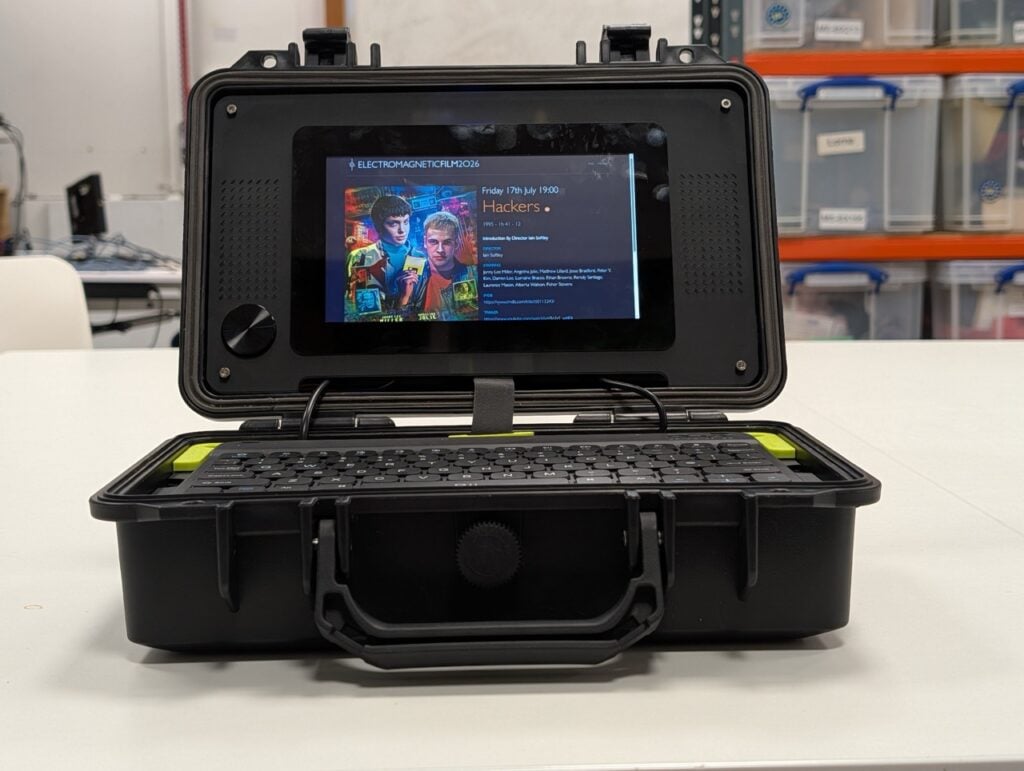
A cyberdeck is the one build where you cannot copy someone else’s parts list and expect it to work. The whole point is that a stock tablet or laptop will not do the job you need done, so the specs come from your job, not from a spec sheet. Raspberry Pi has now published a full build guide for anyone ready to stop admiring other people’s decks and wire their own.
Four parts, and only four
The guide splits a deck into brains, peripherals, power, and case. Brains means a single-board computer plus storage, and an SBC draws far less current than a desktop CPU. On a Raspberry Pi 5 you can boot from an SD card, a USB SSD, or an M.2 NVMe drive on an M.2 HAT. Peripherals are whatever you actually touch: keyboard, display, joystick, a rotary encoder standing in for a scroll wheel, trigger buttons. A small USB hub saves you from cutting four panel holes, and panel-mount port extensions bring the SBC’s connectors out to the shell without stressing the solder joints on the board itself.
Do the power maths before you buy a battery
This is where most first decks die. A Raspberry Pi 5 wants 25W worst case, which is 5V at 5A with the USB ports fully loaded. Add a Raspberry Pi Touch Display 2 at roughly 3W and you land at 28W. Divide by the rail voltage using I = P/V and you need 5.6A available at 5V, not the 3A your old phone charger hands out. Feed that from a UPS HAT, a DC-DC converter off a battery pack, or a power bank rated for the real current. If you go LiPo, fit a fuse as close to the pack as you can and watch the cell voltages, because over-discharging a pouch cell turns a fun weekend into a fire drill.
Build it yourself
Start with the case, since it sets every other dimension. A Pelican-style hard case is the forgiving choice: weatherproof, carry handle, sold in a dozen sizes. Lay the Pi mounting plate, power system, and RTC battery into the bottom first, then route your cabling before you commit to any screw positions. For a thesis or club build, a Raspberry Pi 5 with 4GB, a Touch Display 2, and a 5V supply good for 30W covers most field data-logging work. Read the full walkthrough at raspberrypi.com, then price the Pi 5 and the HATs you need at circuit.rocks.
Frequently Asked Questions
What size power supply does a Raspberry Pi 5 cyberdeck need?
Add up every load. A Raspberry Pi 5 draws 25W worst case with its USB ports fully loaded, and a Touch Display 2 adds about 3W, so you need at least 28W. At a 5V rail that works out to 5.6A using I = P/V, which rules out most 3A phone chargers.
Do I have to 3D print the case?
No. A Pelican-style hard case is the easiest starting point because it is weatherproof, has a handle and comes in many sizes. Past builds have also used briefcases, mint tins, wooden boxes and old pocket computers. Laser-cut plastic sheet or even foam board works while you prototype the layout.
What will I learn if I build this?
Power budgeting from datasheets, which is the single most transferable skill here, plus safe LiPo practice with fusing and cell-voltage monitoring. You also get hands-on time with SBC storage options, panel-mount connectors and cable routing inside a sealed enclosure. That combination covers most of what a capstone hardware project asks for.
