
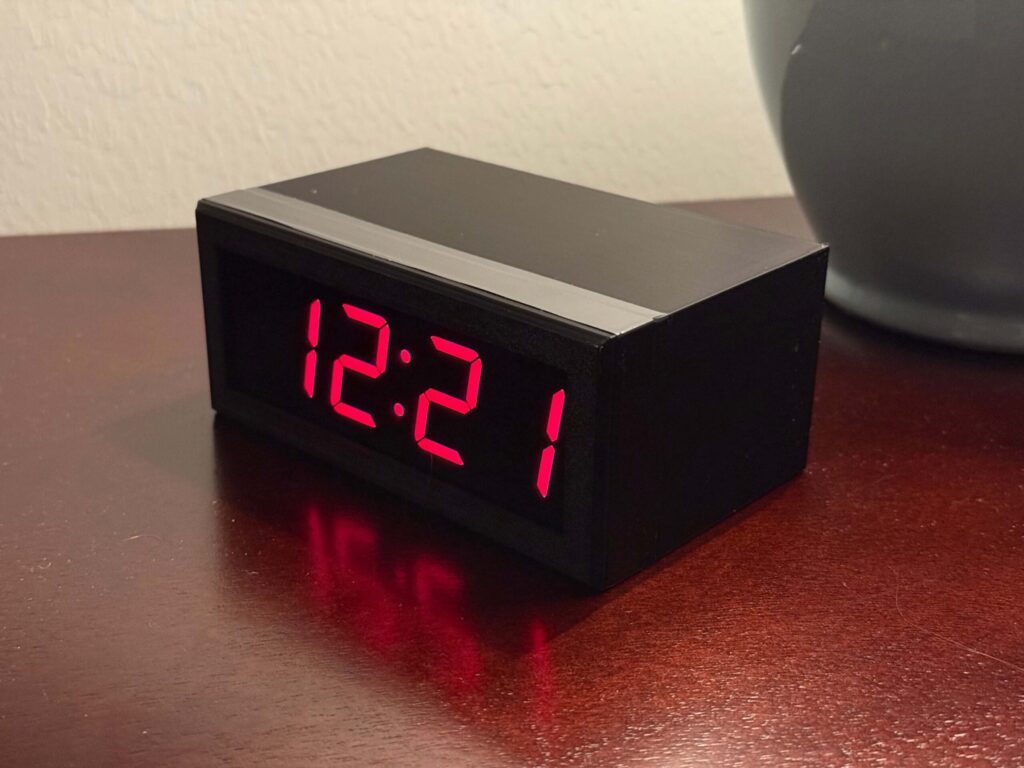
Ask any electronics hobbyist about their most over-built weekend project and a clock almost always comes up. Seven-segment displays, real-time clock chips, GPS sync, WiFi-fed NTP: the humble desk clock has become a favorite sandbox for makers who want a reason to solder something small and genuinely useful. Lee Hutchson’s latest build lands squarely in that tradition, and it makes one design choice worth stealing for your own bench.
The build: a clock that reads red and sets itself
Hutchson wanted three things and nothing else: accurate time, bright red digits, and zero manual setting, ever. When no store-bought clock delivered all three, he built his own around a Raspberry Pi Zero W (later a faster Zero 2 W) driving an Adafruit 1.2-inch 4-digit 7-segment display over I2C. The Pi pulls correct time from an internet NTP server the moment it boots, so daylight-saving jumps and power outages fix themselves. Those big 1.2-inch digits stay readable across a room, and a 3D-printed case wraps it up. The real work, though, is the electronics and a few dozen lines of Python.
Why the Pi-over-RTC choice matters
Most DIY clocks bolt on a DS3231 RTC module to keep time while unplugged. Hutchson skipped that entirely. Because the Pi Zero W has WiFi on board, it re-syncs over NTP on every boot, so accumulated drift is basically zero and there is no coin cell to replace. The trade-off is that the clock needs a network. The 7-segment backpack keeps wiring trivial, just SDA and SCL plus power and ground, with the HT16K33 driver sitting at I2C address 0x70, so you are not juggling seven GPIO pins per digit.
What to try next
Hutchson published the full PiClock repo on GitHub, including a priced bill of materials and the Python source, which makes this an easy afternoon clone. Swap the red backpack for a different color, add a photoresistor to auto-dim the digits at night, or port the same NTP-sync trick onto an ESP8266 if you want a cheaper board. For a student, it is a tidy first I2C project that teaches how displays, addresses, and time sync actually fit together.
Frequently Asked Questions
How does this clock set itself without a battery?
The Raspberry Pi Zero W has built-in WiFi, so on every boot it pulls the correct time from an internet NTP server instead of a battery-backed RTC chip. Drift is essentially zero and there is no coin cell to replace, though the clock does need a network connection.
What parts do I need to build this Pi clock?
A Raspberry Pi Zero W or Zero 2 W, an Adafruit 1.2-inch 4-digit 7-segment display with an I2C backpack, four wires for SDA, SCL, power and ground, and a printed or off-the-shelf case. The full priced bill of materials and Python code are in the code-a-saurus/PiClock GitHub repo.
What will I learn if I build this?
You will pick up I2C wiring and addressing (the HT16K33 backpack sits at 0x70), how NTP time sync works over WiFi, and enough Python to drive a display. It is a clean first hardware project that connects a sensor-style bus, network code, and a physical output in one small build.
