
Top 10 creative Raspberry Pi projects – Here are the Raspberry Pi builds people are actually making in 2024. Personal cloud boxes, AI robots, and a bunch of stuff in between. All of it running on one small board that costs less than a nice dinner.
The Pi keeps showing up in projects that punch way above what the price tag suggests. 2024 was a good year for it. People built things that are genuinely useful, and a few that are just fun to look at. Here are ten builds worth stealing ideas from.
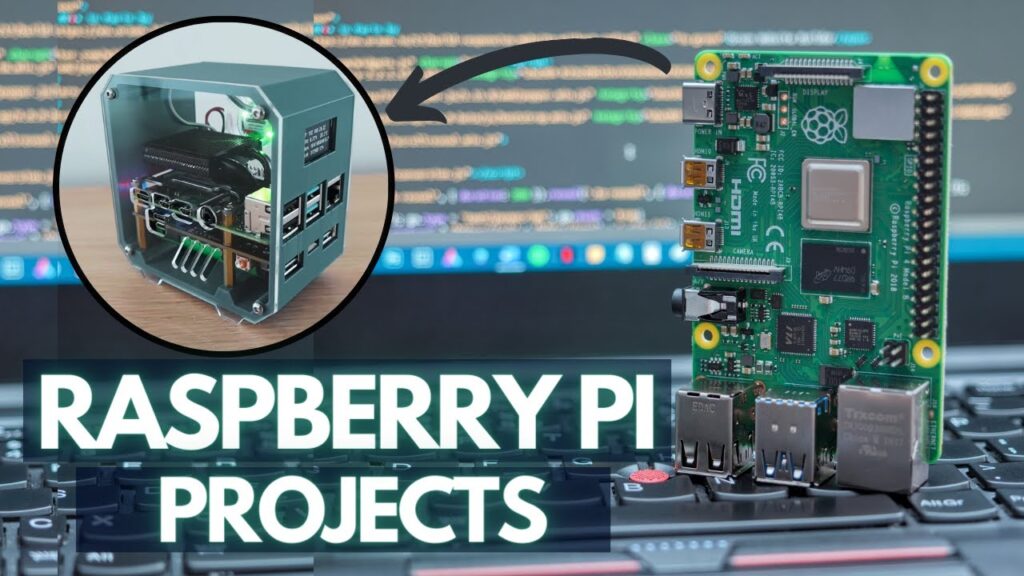
Top 10 creative Raspberry Pi projects
1. Personal Cloud Service
Running your own cloud means your files stay on your hardware, not somebody else’s server. A Pi is plenty for this. You store, grab, and share your own data without paying a monthly fee to a company that scans it.
One build people like is ‘PiCloud’. You get full control of your files, plus encryption, a decent interface, and access from any device. It’s a cheap, private stand-in for the big cloud services, and you don’t need a data-center budget to run it.
2. Smart Mirror
A smart mirror is a regular mirror with a screen behind it. You get weather, news, and your calendar while you brush your teeth. The Pi drives the display, and you still see your face in it.
‘MagicMirror’ is the one most people start with. It has modules for transit times, fitness data, even voice control. Clean look, easy to customize, and it turns a boring bathroom object into something you actually check every morning.
3. Retro Gaming Console
Old games, small box. Load up NES, Atari, and a stack of other systems on a Pi and carry your childhood around in your pocket.
‘RetroPie’ is the go-to here. It supports a huge list of emulators, has a friendly menu, and you can tweak it however you want. Great first build if you want a result you can hold and play the same day.
4. Home Automation System
‘Home Assistant’ on a Pi pulls all your smart gear into one place. Lights, thermostat, security cameras, all controlled from one hub instead of five different apps.
It’s open-source and runs locally, so your home data stays home. You build the setup you want and keep the control on your side, not in some vendor’s cloud.
5. Private VPN
A Pi running a VPN server gives you a private tunnel back to your home network from anywhere. ‘PiVPN’ makes the setup painless, with simple install and config. Once it’s up, your traffic is yours, and you can browse safely on any sketchy public wifi.
6. Digital Art Display
Point a Pi at a screen and you’ve got a frame that cycles through art and photos. ‘Dakboard’ handles the layout and pulls content from wherever you want. Hang it on the wall and the picture keeps changing. It’s a nice way to fill a blank spot without buying an overpriced digital frame.
7. Weather Station
Wire up a few sensors, run something like ‘PyOWM’, and the Pi becomes your own weather station with live readings and forecasts. Good project for a gardener, a hobbyist, or anyone who wants real numbers from their own backyard instead of a generic city forecast. You learn a lot wiring the sensors too.
8. Media Center
‘OSMC’ and ‘LibreELEC’ turn a Pi into a tidy media box for movies, music, and podcasts. Setup is quick, they handle most file formats, and the Pi ends up doing the job of a pricey streaming appliance. Plug it into the TV and you’re set.
9. AI-Powered Robot
People put a Pi in a robot and give it a brain. Navigation, voice commands, decisions made on the fly. It’s a solid way to mix AI code with real hardware, and a good entry point if you’re a student or hobbyist who wants to get into robotics without a lab budget.
10. Wildcard Entry: Reader’s Choice
The Pi community ships new stuff daily. Automated pet feeders, mirrors that recognize your face, whatever weird itch someone needed to scratch. Go build something that fits what you’re into. That’s half the fun of owning one.
Wrapping up
Ten builds, one small board. Whether you’ve been coding for years or you’re soldering your first header, the Pi gives you room to try things and break things. Pick one off this list and start. You’ll learn more from a half-broken project than from reading about it.
FAQs on Top 10 Creative Raspberry Pi Projects
Is Raspberry Pi good for AI projects?
Yes. Add a Pi, a mic, some speakers, and open-source AI software like Mycroft or the Google Assistant SDK, and you’ve got a personal assistant that controls smart devices, answers questions, and more.
Which Raspberry Pi is best for projects?
Raspberry Pi 4 and Raspberry Pi 400
The Raspberry Pi 4 has the highest specs of the bunch, so for most general-purpose projects it’s your best bet.
Which Raspberry Pi is best for IoT?
Pick a model that fits the job. The Raspberry Pi 3 or 4 work for most IoT projects thanks to their mix of power and size. Then add your sensors and actuators based on the build: temperature, motion, or light sensors, and motors or LEDs for output.
Frequently Asked Questions
What can you actually build with a Raspberry Pi?
Personal cloud servers (PiCloud-style storage with encryption), smart mirrors with weather and schedules (MagicMirror), retro gaming consoles (RetroPie), home automation hubs, AI-powered robots, network-wide ad blockers, weather stations, and security cameras.
What’s RetroPie?
A Raspberry Pi distribution that turns the Pi into a retro gaming console supporting NES, Atari, SNES, and many other emulators. Customizable interface, packs into pocket-sized cases.
Can a Pi replace a desktop?
For light tasks yes. Web browsing, document editing, code learning, light Python development. Not for heavy gaming, video editing, or large software builds. The Pi 5 is the most desktop-capable model so far.
Is the Pi good for first AI projects?
Yes for learning. Run lightweight inference, computer vision with OpenCV, or speech recognition. Pair with a Coral or Movidius accelerator if you need more inference speed.
{“@context”: “https://schema.org”, “@type”: “FAQPage”, “mainEntity”: [{“@type”: “Question”, “name”: “What can you actually build with a Raspberry Pi?”, “acceptedAnswer”: {“@type”: “Answer”, “text”: “Personal cloud servers (PiCloud-style storage with encryption), smart mirrors with weather and schedules (MagicMirror), retro gaming consoles (RetroPie), home automation hubs, AI-powered robots, network-wide ad blockers, weather stations, and security cameras.”}}, {“@type”: “Question”, “name”: “What’s RetroPie?”, “acceptedAnswer”: {“@type”: “Answer”, “text”: “A Raspberry Pi distribution that turns the Pi into a retro gaming console supporting NES, Atari, SNES, and many other emulators. Customizable interface, packs into pocket-sized cases.”}}, {“@type”: “Question”, “name”: “Can a Pi replace a desktop?”, “acceptedAnswer”: {“@type”: “Answer”, “text”: “For light tasks yes. Web browsing, document editing, code learning, light Python development. Not for heavy gaming, video editing, or large software builds. The Pi 5 is the most desktop-capable model so far.”}}, {“@type”: “Question”, “name”: “Is the Pi good for first AI projects?”, “acceptedAnswer”: {“@type”: “Answer”, “text”: “Yes for learning. Run lightweight inference, computer vision with OpenCV, or speech recognition. Pair with a Coral or Movidius accelerator if you need more inference speed.”}}]}
