
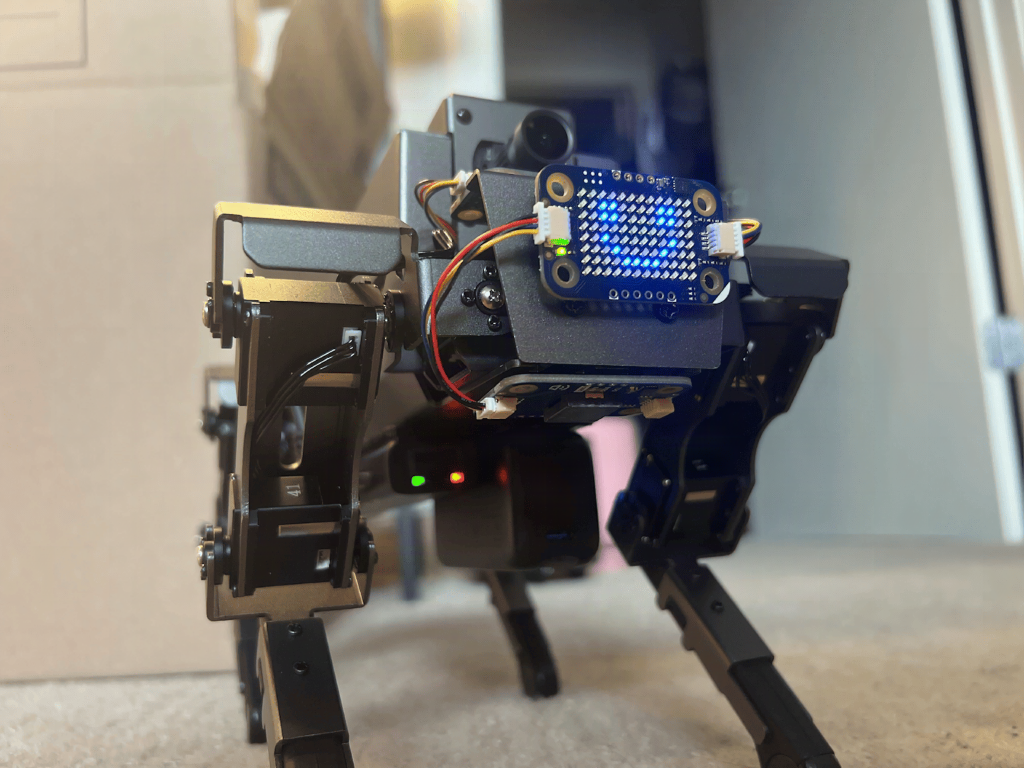
A four-legged robot that walks well but cannot see is a nice toy, and a limited one. Builders rmite and tylerwojo wanted more, so they bolted an Arduino UNO Q onto a Yahboom DOGZILLA S2 and called the result Robodog V2.0.
What they built
The DOGZILLA already has a servo controller that handles walking. They left it alone. The UNO Q became the robot’s main computer, talking to that controller over UART using Yahboom’s own packet protocol. Added on top: a USB camera, a Modulino LED Matrix that acts as an animated face, a Modulino Movement module for accelerometer and vibration data, and a Modulino Buzzer for status beeps.
How they built it
The UNO Q pairs a Qualcomm QRB2210 running Debian Linux with an STM32U585 Cortex-M33 microcontroller. That split is the whole trick. The microcontroller runs an Arduino sketch built on RouterBridge that exposes commands like walk, turn, stop, and battery check, then converts them into UART packets for the DOGZILLA controller. Python on the Linux side sends those commands.
The Python app, made in Arduino App Lab, serves a web page with driving controls, preset actions, live camera video, system status, and gamepad support. OpenCV handles the camera frames, and object detection models from Qualcomm AI Hub or Edge Impulse run on the board with no cloud round trip. The UNO Q can also act as its own Wi-Fi access point, so a phone connects straight to the robot with no router in between. That matters in a school lab where the network blocks everything.
The takeaway
Keep the real-time part and the smart part on separate processors. The servo timing stays deterministic on the microcontroller, while the camera and AI work sit in Linux where Python libraries are easy to install. If you copy the idea, start small: get a single stop command working across the UART link before you touch the camera. Wrong baud rate or swapped TX and RX lines are the usual gotcha.
The full write-up is on Hackster. For a practice rig, browse Arduino boards, servos, and USB cameras at circuit.rocks.
Frequently Asked Questions
How does the UNO Q control the DOGZILLA S2?
The UNO Q’s STM32U585 microcontroller runs a RouterBridge sketch that turns commands like walk, turn, and stop into UART packets. The robot’s original servo controller still drives the legs, so walking stays reliable.
What does Robodog V2.0 need beyond the robot?
An Arduino UNO Q, a USB camera, and Modulino modules for the LED matrix face, movement sensing, and buzzer. Software runs in Arduino App Lab with Python, OpenCV, and a model from Qualcomm AI Hub or Edge Impulse.
What will I learn if I build this?
You will practice UART communication between two controllers, split work between a microcontroller and a Linux processor, and run an object detection model on-device. It suits a robotics class, hackathon, or capstone project.
