
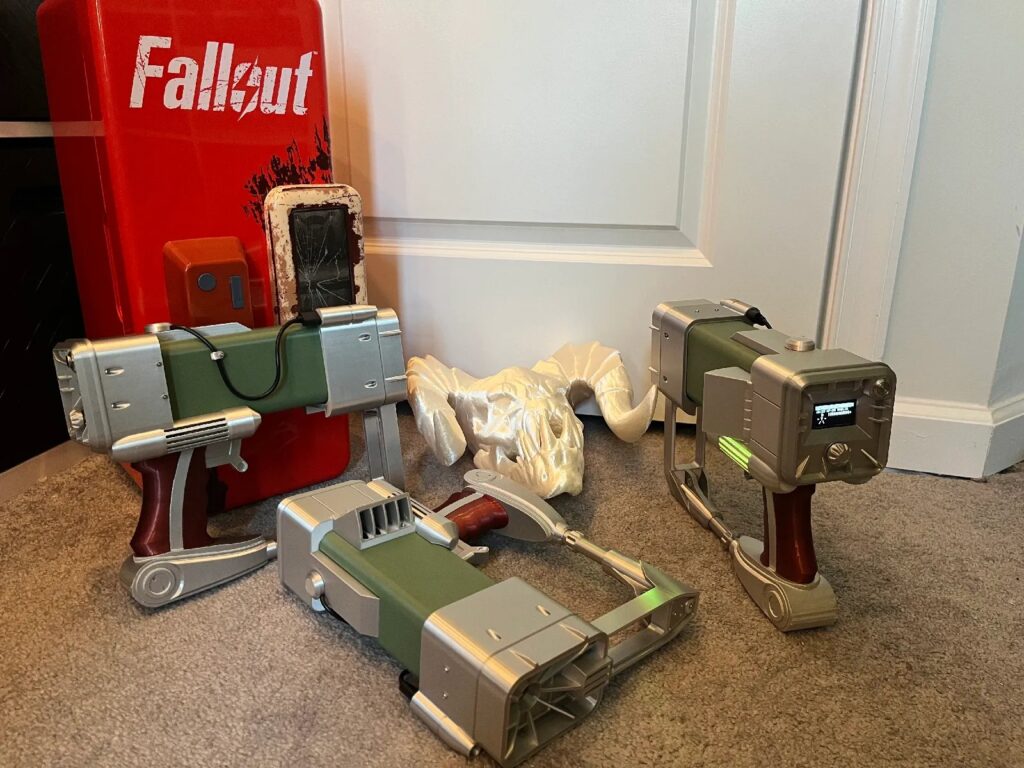
Walk into a commercial laser tag arena and you’re looking at tens of thousands of dollars of proprietary gear locked behind a venue’s doors. So when a maker recreates that arcade-grade experience at home with a spool of filament and a microcontroller that costs less than lunch, it’s worth paying attention. It’s a neat reminder that the gap between “pro equipment” and “weekend build” keeps shrinking.
That’s exactly what Splated pulled off with the RobCo AE7P, a fully Fallout-themed laser tag system shared on Printables. After roughly a year of trial and error, they landed on a working prototype styled like a wasteland sidearm straight out of the game. The design started from ytec3d’s well-known laser pistol model, but Splated ended up modifying or replacing nearly every part to carve out enough room for the electronics inside. The result looks less like a printed prop and more like something you’d find bolted to a workbench in the wasteland, with the kind of weathered, utilitarian silhouette that fans of the series will recognize instantly.
What’s going on under the shell
The brains of the blaster is a Raspberry Pi Pico 2 W, which handles the tag logic and opens the door to wireless features down the line. The firmware is open source and lives on GitHub, with the maker promising more game modes and network support in upcoming updates. The physical model is split into manageable pieces so it fits on a typical print bed, and only a handful of parts actually need supports, which keeps the print queue and cleanup reasonable. Splitting the body this way also makes it easier to swap or reprint a single component if you crack a part during assembly or want to iterate on the fit.
Build one yourself
If you want to take a swing at your own, you’ll want a Raspberry Pi Pico 2 W, the IR emitter and receiver components that make hit detection work, a small battery to keep it untethered, and a 3D printer loaded with your filament of choice. Grab the STL files from Printables, pull the firmware from the project’s GitHub repo, and flash it to the Pico. From there it’s assembly, a test round, and whatever Fallout-flavored paint job your heart desires.
- Microcontroller: Raspberry Pi Pico 2 W
- Detection: IR emitter + receiver pair
- Body: multi-part 3D print, minimal supports
- Firmware: open source, more modes coming
Frequently Asked Questions
What microcontroller powers the RobCo AE7P laser tag system?
It runs on a Raspberry Pi Pico 2 W, which handles the tag logic and enables wireless features. The firmware is open source and hosted on GitHub, with more game modes and network support planned.
Is it hard to 3D print, and does it need a lot of supports?
The model is divided into smaller parts so it fits on a standard print bed, and only a few pieces require supports. That keeps both print time and post-processing manageable for a project of this size.
What will I learn if I build this?
You’ll get hands-on practice with multi-part 3D printing and assembly, wiring IR emitters and receivers for hit detection, and flashing and tweaking open-source firmware on a Raspberry Pi Pico 2 W, blending mechanical and embedded skills in one build.
