
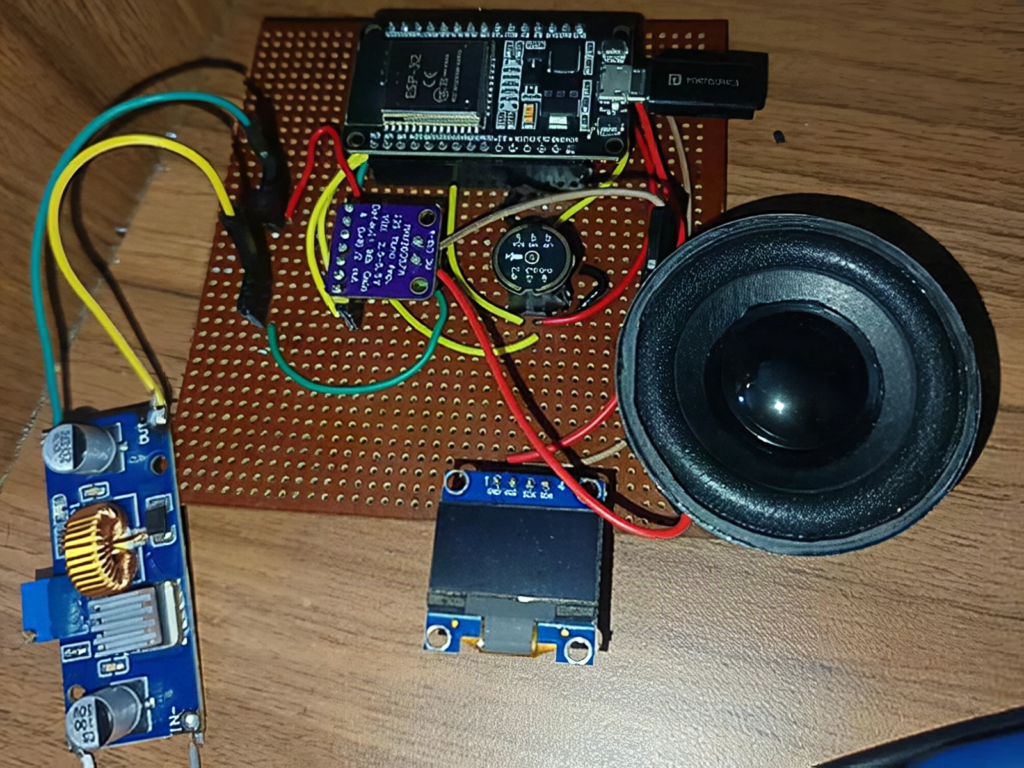
Can an ESP32 hold a spoken conversation with a cloud AI and still keep its animated eyes blinking smoothly?
Yes, and maker jayesh_nawani shows how. The build, covered by Open Electronics and spotted on the Adafruit blog, listens through an I2S microphone, sends the clip to OpenAI’s Whisper API for transcription, asks GPT for a reply, then plays the synthesized speech through a MAX98357A amplifier and a 3W speaker. A 0.96 inch, 128×64 OLED shows two cartoon eyes that change with the conversation state.
How the recording logic works
The firmware watches the mic level. Once the volume stays above a threshold, recording begins. A short stretch of silence ends it, and a hard cap of 2 seconds keeps the WAV file small enough for the ESP32‘s RAM. Audio is captured at 16000 Hz, while the returned speech arrives at 24000 Hz and gets streamed to the amp in 512 byte chunks.
The gotcha: blocking HTTP calls
An HTTPS request to a cloud API can block for a second or more. If the eye animation ran in the same loop, the face would freeze mid-blink. The fix is a FreeRTOS split: the eye animation runs as its own task on core 0, while the audio and network pipeline lives on core 1. The display keeps refreshing no matter how slow the network gets.
Build it yourself
- An ESP32 dev board and a breadboard
- An I2S MEMS microphone (INMP441 is the common one) wired to three GPIO pins for SCK, WS and SD
- A MAX98357A I2S amp with a 3W speaker
- A 0.96 inch SSD1306 OLED on SDA and SCL, usually I2C address 0x3C
- Arduino IDE with the ArduinoJson, Adafruit_GFX and Adafruit_SSD1306 libraries
Check your OLED before flashing: a 128×32 panel needs the height changed in the SSD1306 constructor or the eyes will render cropped. You also need your own OpenAI API key, and every voice turn costs a little, so set a usage limit first. Parts like the ESP32 and OLED modules are stocked at circuit.rocks, and the original write-up is at open-electronics.org with the Adafruit summary at blog.adafruit.com.
Frequently Asked Questions
How does this ESP32 assistant understand speech?
It records a short clip from an I2S microphone, wraps it as a WAV file and uploads it to the OpenAI Whisper API, which returns text. GPT then writes a reply and a text-to-speech call returns audio for the speaker.
What parts and skills does this build need?
An ESP32, an I2S microphone, a MAX98357A amplifier with a 3W speaker, and a 128×64 SSD1306 OLED, all on a breadboard. You need basic Arduino IDE skills, wiring I2S and I2C pins, and an OpenAI API key with a spending limit.
What will I learn if I build this?
You practice I2S audio capture and playback, sample rates (16000 Hz in, 24000 Hz out), calling REST APIs with ArduinoJson, and splitting work across both ESP32 cores with FreeRTOS tasks. That is thesis-ready embedded and IoT material.
