
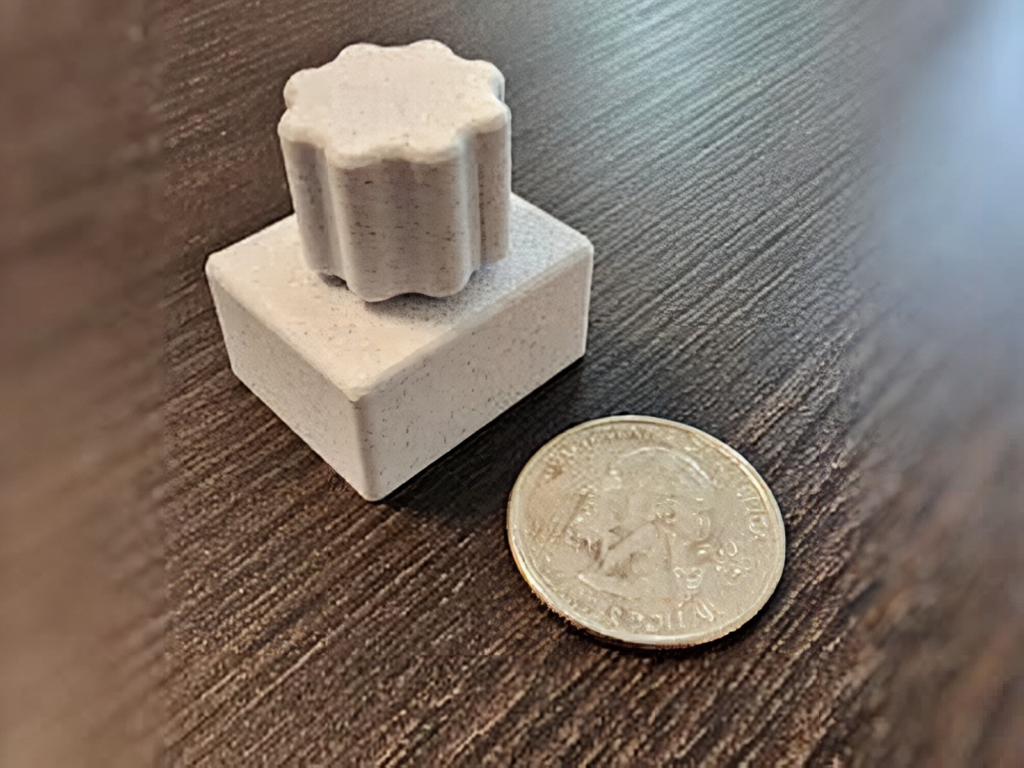
Can a volume knob really be useful when it’s no bigger than a coin? A pseudonymous maker known as KEY — the mind behind Keep Everything Yours — set out to prove it with the Mighty Mini Media Controller, a desk gadget barely larger than a US quarter.
The idea is refreshingly simple. You get a single scalloped knob that twists to raise or lower your system volume and clicks to play or pause whatever you’re listening to. There’s no companion app, no driver install, and no configuration screen — you plug it into a USB port and it just works. For anyone fighting for space on a cluttered desk, that mix of doing one thing well while taking up almost no room is exactly the appeal.
How does something this small actually work?
The brain of the build is an RP2040-Zero, a compact clone of the Raspberry Pi Pico that runs the same RP2040 chip. Instead of the Pico‘s longer breadboard layout, the Zero packs castellated GPIO pads along three edges and a modern USB-C port, which is what keeps the footprint so tiny. A rotary encoder sits directly above the board, its shaft hidden inside a larger knurled knob printed in PLA — the same plastic that forms the body.
The software side leans on CircuitPython and Adafruit’s HID library. That code tells the RP2040 to introduce itself to your computer as a plain old keyboard: encoder rotation becomes volume-up and volume-down keypresses, and a press of the knob sends a play/pause command. Because it registers as a standard HID device, your operating system needs nothing extra to recognize it.
Try it yourself this weekend
You won’t need much to replicate it: an RP2040-Zero, a rotary encoder with a push switch, a short USB-C cable, and access to a 3D printer for the body and knob. KEY has shared the CircuitPython source on GitLab and the print files on MakerWorld, so the full build is open to follow. If you’re sourcing components, an RP2040 board and a rotary encoder from Circuit.Rocks will get you most of the way there. Solder the encoder to the board, flash the firmware, print the shell, and you’ll have a precise little controller that hides in any gap on your desk.
Frequently Asked Questions
What microcontroller powers the Mighty Mini Media Controller?
It runs on an RP2040-Zero, a compact Raspberry Pi Pico clone that uses the same RP2040 chip but adds castellated GPIO pads and a USB-C port to keep the footprint barely larger than a quarter.
What parts do I need to build one?
Just an RP2040-Zero, a rotary encoder with a push switch, a USB-C cable, and a 3D printer for the PLA body and knob. The maker shares the CircuitPython firmware on GitLab and the print files on MakerWorld.
What will I learn if I build this?
You’ll practice soldering an encoder to a microcontroller, flashing CircuitPython, and using Adafruit’s HID library to emulate a keyboard, plus a little 3D printing to finish the enclosure. It’s a great intro to turning a dev board into a real USB peripheral.
