
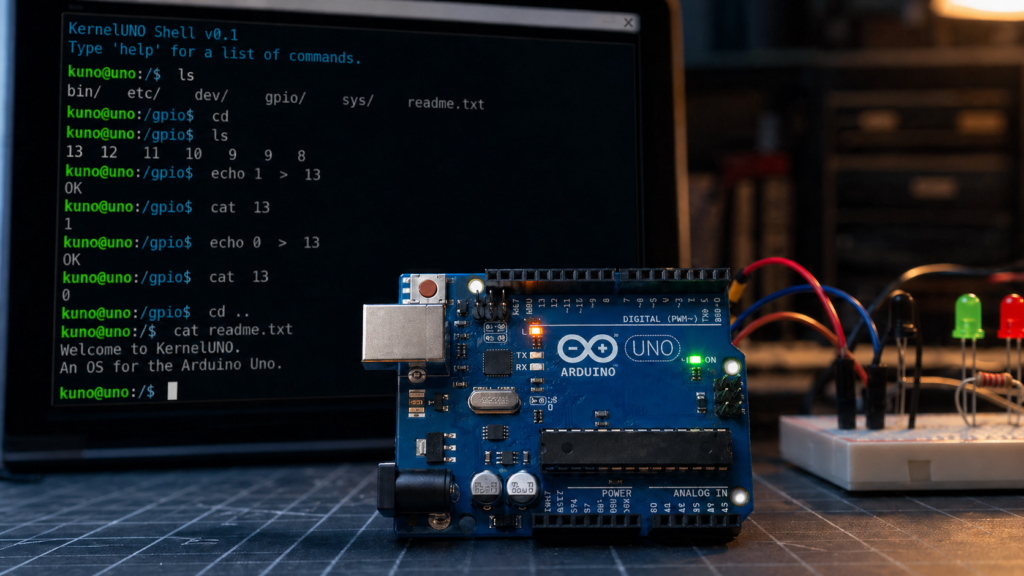
Arduino Uno projects usually begin with one sketch doing one job. KernelUNO flips that idea a bit. Instead of acting like a single-purpose program, it gives the Uno a tiny shell-style interface with simple file commands, hardware control, and a Unix-like feel over the serial monitor.
The project was recently highlighted by Hackaday, and the original code is available in the KernelUNO GitHub repository. If you enjoy seeing how far classic 8-bit hardware can be pushed, this is a fun one to explore.
What KernelUNO actually is
KernelUNO is best thought of as a lightweight shell environment for the Arduino Uno, not a full operating system in the desktop sense. After you upload the sketch and open the serial monitor at 115200 baud, you get a text-based interface with commands for moving through a virtual filesystem, creating files, checking system info, and controlling GPIO pins.
According to the project README, it includes a RAM-based virtual filesystem, system monitoring commands, an interactive shell, and 23 built-in commands. That gives the Uno a more computer-like feel, even though everything still runs inside very tight hardware limits.
What you can do with it
- Use commands like
ls,cd,pwd,mkdir,touch, andcatto move around and manage a tiny virtual filesystem. - Write simple text into files with commands such as
echo Hello World > notes.txt. - Check system details with commands like
uname,uptime,dmesg,df, andfree. - Control pins directly using
pinmode,write,read, andgpio.
That mix makes KernelUNO feel part shell, part teaching tool, and part hardware console. It is not trying to replace normal Arduino development. It is more like a playful way to learn how command-driven systems, filesystems, and hardware abstraction can look on a tiny AVR board.
Why this is interesting for beginners
For many students, the Arduino Uno is their first microcontroller board. Most projects start with blinking LEDs, reading sensors, or driving a buzzer. KernelUNO adds a different kind of lesson: how a system can present commands, manage state, log messages, and provide a reusable interface for hardware actions.
Even if you never use it in a final product, it helps show how bigger ideas in computing can be broken down into smaller parts. A shell command that toggles a pin may look simple, but it also teaches how software layers can sit between the user and the hardware.
Real limits of running this on an Uno
The Arduino Uno is built around the ATmega328P, so memory is tight. The project README lists some hard limits: the filesystem lives only in RAM, storage is lost on power cycle, file content is limited, and the total number of files and directories is small. The repo also notes that RAM use is already heavily optimized.
Those limits matter because they explain both the charm and the challenge of the project. KernelUNO works precisely because it stays small. It does not try to be too much. Instead, it focuses on a compact shell, a few useful commands, and direct hardware control.
How to try it
The GitHub page lists a simple setup flow: open KernelUNO.ino in the Arduino IDE, select the Arduino Uno board, upload the sketch, then open the serial monitor at 115200 baud. From there, you can start typing commands and explore the environment.
If you want to push it further, the project README also points to future ideas like EEPROM persistence and PWM or analog control. That makes it a neat base if you want to experiment with adding more shell commands or making the environment more useful for teaching and testing.
Why Circuitrocks readers may enjoy it
KernelUNO is one of those projects that feels playful at first, then gets more interesting the longer you think about it. It brings shell commands, file handling, and GPIO control together on a board most makers already know. For students, hobbyists, and anyone who likes squeezing new tricks from old hardware, it is a good reminder that the Arduino Uno still has room for creative ideas.
If you want to build around this idea, you can pair an Arduino Uno with LEDs, buttons, or basic sensor modules and use KernelUNO as a simple command-driven test bench. That turns a familiar board into something that feels closer to a tiny interactive lab computer.
Source links
Frequently Asked Questions
What is KernelUNO?
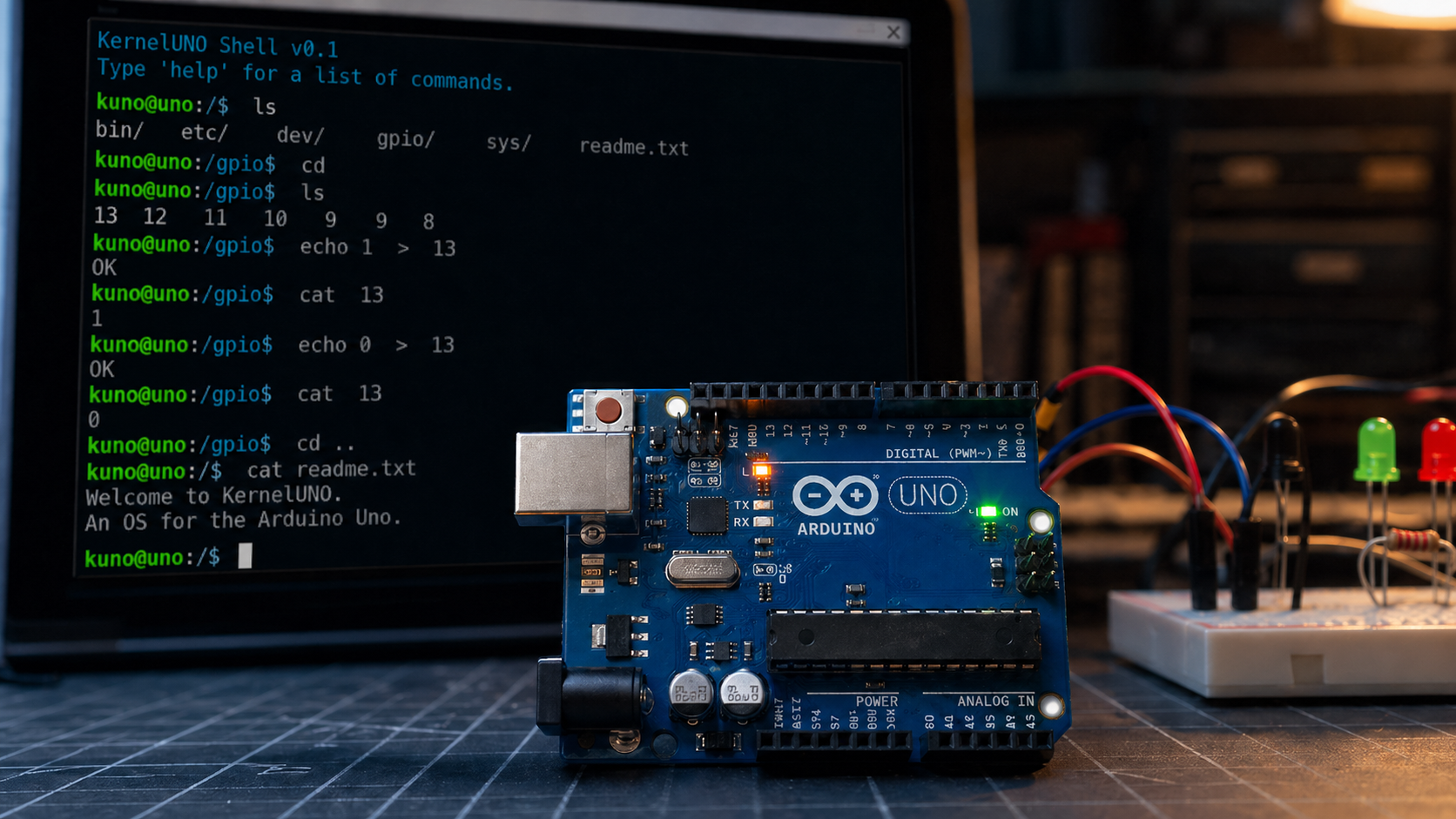
KernelUNO is a shell-style environment that runs on the Arduino Uno. After uploading the sketch and opening the serial monitor at 115200 baud, you get a Unix-like text interface with a virtual filesystem, system commands, and direct GPIO control. The source is on the KernelUNO GitHub.
What commands does KernelUNO support?
23 commands in total. For files: ls, cd, pwd, mkdir, touch, cat, plus echo for writing into files. For system info: uname, uptime, dmesg, df, free. For hardware: pinmode, write, read, and gpio.
Does the virtual filesystem persist after power off?
No. The filesystem lives only in RAM, so anything you create is wiped on power cycle. The README also lists tight limits on file content size and total file count because the Uno’s ATmega328P has very limited memory.
How do I try KernelUNO?
Open KernelUNO.ino in the Arduino IDE, select the Arduino Uno board, upload the sketch, and open the serial monitor at 115200 baud. Future ideas listed in the repo include EEPROM persistence and PWM or analog control.
