
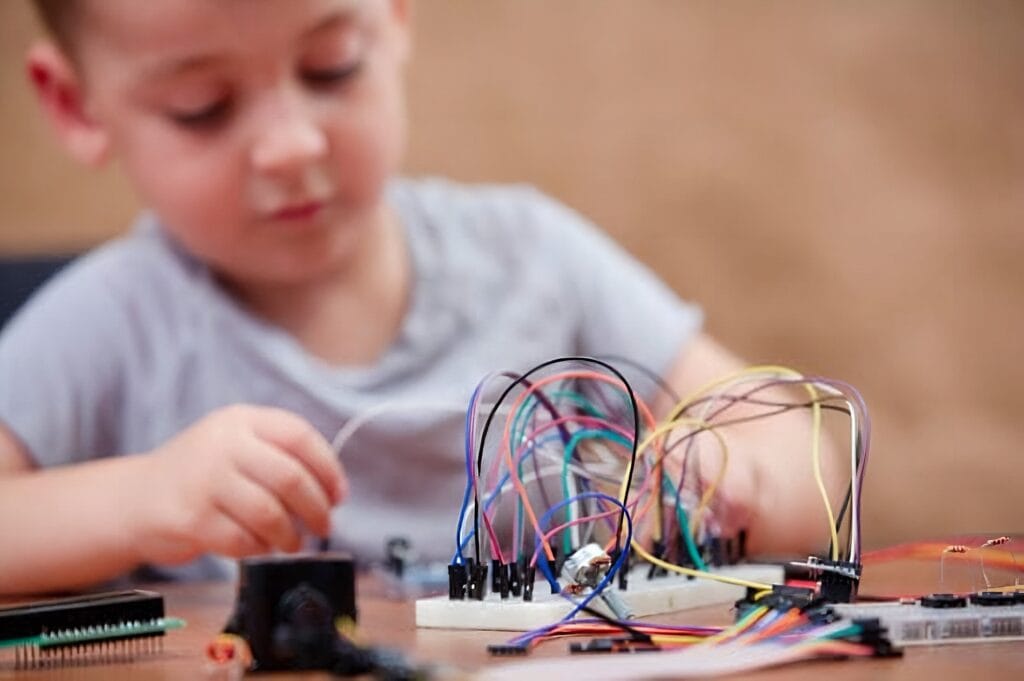
Top Ways To Use Arduino With Kids – Kids get so much out of Arduino. When they start tinkering and playing with home automation early, it does wonders for them and for the whole family, and it can kick off a love for tech that sticks around for life. Worth knowing the top ways to use Arduino with kids.
In this article we’ll look at what makes Arduino such a good fit for kids, plus some of the ways parents, older relatives, and teachers can put Arduino’s products to work to entertain, teach, and get young learners excited.
What Makes Arduino So Good For Kids?
| It teaches valuable STEM skills | STEM careers pay well and keep growing as more of daily life runs on tech. Building Arduino projects gives kids real hands-on practice and a solid base in those skills early. |
| It can begin a lifelong love for engineering | Building things young can spark a passion that sticks with a kid for life and leads somewhere good. |
| It’s a community | The Arduino community extends across the entire world, with regular meetups and events where like-minded makers can get together. For kids, this can be a great way to make friends and be part of a wider group. |
| It helps build wider skills | On top of pure STEM, using Arduino can also help kids grow in other areas, by encouraging skills like problem-solving and teamwork. |
| It’s fun | What more needs to be said? Tinkering with Arduino projects is a ton of fun, and that’s a huge benefit in itself. |
Top Ways To Use Arduino With Kids
Now let’s look at some specific ways to use Arduino with young learners, with a few real projects to show what’s possible.
1. Learn through projects
Arduino makes a great way into making and engineering as hobbies. It gives kids fun, doable projects where they pick up the basics and get real hands-on practice.
Take a look at this project, for example. It teaches kids the basics of AI and machine learning through a game. Those skills are getting bigger every year, so a solid head start here really pays off.
2. Projects for groups
One of the best parts of Arduino for kids is the teamwork. Working together toward one shared goal makes the whole thing more fun, and it helps them build social skills and make friends along the way.
Take a look at this automated gardening project from EDUcentrum. In this tutorial, kids build a smart watering system for a connected plant, then keep an eye on it over time. After that they talk through the project with their classmates and give a presentation.
3. Projects for kids with kids with autism
STEM should be open to everyone, and kids with autism can get a lot out of Arduino projects.
Arduino For Autism is a group that mentors kids with autism and shows them how to work with microcontrollers. It gives them a friendly first taste of making and STEM, and it helps lay the groundwork for skills like coding, engineering, and game development.
Arduino can be handy for parents of children with autism too. Phillip Mallon is a good example. On his website he shares the projects he’s built to help his son Jason, who has severe autism. Among them are a simpler timer for managing time and an easy-to-use MP3 player.
4. Projects to help parents
Parenting is hard work, and Arduino can lend a hand here too.
Check out this baby formula tracker, for instance. The monitor helps randallph and his wife keep track of their daughter’s feeding times and make sure she’s eating the right amounts at the right intervals.
5. Learning mixed with fun
Learning doesn’t have to be a chore. Here’s proof: a device that launches NERF darts to show how angles change the path of a projectile.
Arduino user buildfams built it, and it won Arduino Project of the Month in March 2023. Buildfams and his son made it together, which is a great learning experience on its own, and they came away with a fun gadget plus a hands-on way to pick up some key physics.
Tools and Products of Arduino Explained by Circuitrocks
Beyond project ideas, Arduino also makes tools and kits aimed at helping beginners and kids get their own projects going. Let’s take a closer look.
- Get started with making
If you or your kids are brand new to making, Arduino’s Student Kit is the one. It helps first-timers get going with projects, covering basics like coding and building circuits. It’s built for complete beginners, which makes it a great fit for kids, and it comes with 11 activities that walk the learner through the key ideas and skills.
- Learn key scientific skills
If picking up basic science skills and concepts is the goal, take a look at the Science Kit R3 by Arduino. It teaches key science skills and brings abstract theory to life through practical, hands-on projects.
- Learn the basics of STEM
Arduino’s Starter Kit is a great intro to STEM, and it works at home or in the classroom. The kit teaches the basics like coding and electronics through fun, hands-on projects. It covers a ton of the groundwork, from sensors and actuators to digital logic, and it nudges learners to think for themselves and team up to solve problems.
Wrapping up
Arduino is a great example of open-source tech that’s changing things for the better. The single-board microcontroller lets you build interactive objects: it reads inputs from all kinds of switches and sensors, then drives lights, motors, and other physical outputs. Circuitrocks says let the kids loose on Arduino and see where their curiosity takes them.
FAQs on Top Ways to Use Arduino with Kids
At what age can kids learn Arduino?
The Arduino Student Kit is a hands-on, step-by-step remote learning tool for ages 11+. Kids start with the basics of electronics, programming, and coding right at home.
How can Arduino help students?
Arduino is flexible enough to let students get creative. From building robots to designing smart home systems, the only real limit is their imagination. Getting hands-on this way makes learning fun, and it pushes students to think for themselves and work through problems on their own.
Is Arduino suitable for kids?
Arduino boards make learning electronics fun and easy to get into at any age. It’s always easier to learn by doing.
Frequently Asked Questions
Is Arduino safe for kids?
Yes, for the low-voltage logic side (5V or 3.3V). Stick to USB-powered builds, no mains voltage, no soldering for younger kids (use breadboards instead), and supervise when motors or batteries are involved.
What’s a good first Arduino project for kids?
Blinking an LED, then making a multi-LED traffic light, then adding a button to switch patterns. Each step is a small win that keeps attention.
Which sensors are kid-friendly?
Buttons, photoresistors (light sensors), tilt switches, simple potentiometers, and ultrasonic distance sensors. They give immediate visible feedback without complex calibration.
How do I keep kids engaged with Arduino?
Tie projects to things they enjoy, game controllers, light shows, mini robots, musical instruments, simple alarms. Visible output (light, sound, motion) holds attention much better than printed numbers.
{“@context”: “https://schema.org”, “@type”: “FAQPage”, “mainEntity”: [{“@type”: “Question”, “name”: “Is Arduino safe for kids?”, “acceptedAnswer”: {“@type”: “Answer”, “text”: “Yes, for the low-voltage logic side (5V or 3.3V). Stick to USB-powered builds, no mains voltage, no soldering for younger kids (use breadboards instead), and supervise when motors or batteries are involved.”}}, {“@type”: “Question”, “name”: “What’s a good first Arduino project for kids?”, “acceptedAnswer”: {“@type”: “Answer”, “text”: “Blinking an LED, then making a multi-LED traffic light, then adding a button to switch patterns. Each step is a small win that keeps attention.”}}, {“@type”: “Question”, “name”: “Which sensors are kid-friendly?”, “acceptedAnswer”: {“@type”: “Answer”, “text”: “Buttons, photoresistors (light sensors), tilt switches, simple potentiometers, and ultrasonic distance sensors. They give immediate visible feedback without complex calibration.”}}, {“@type”: “Question”, “name”: “How do I keep kids engaged with Arduino?”, “acceptedAnswer”: {“@type”: “Answer”, “text”: “Tie projects to things they enjoy, game controllers, light shows, mini robots, musical instruments, simple alarms. Visible output (light, sound, motion) holds attention much better than printed numbers.”}}]}
