
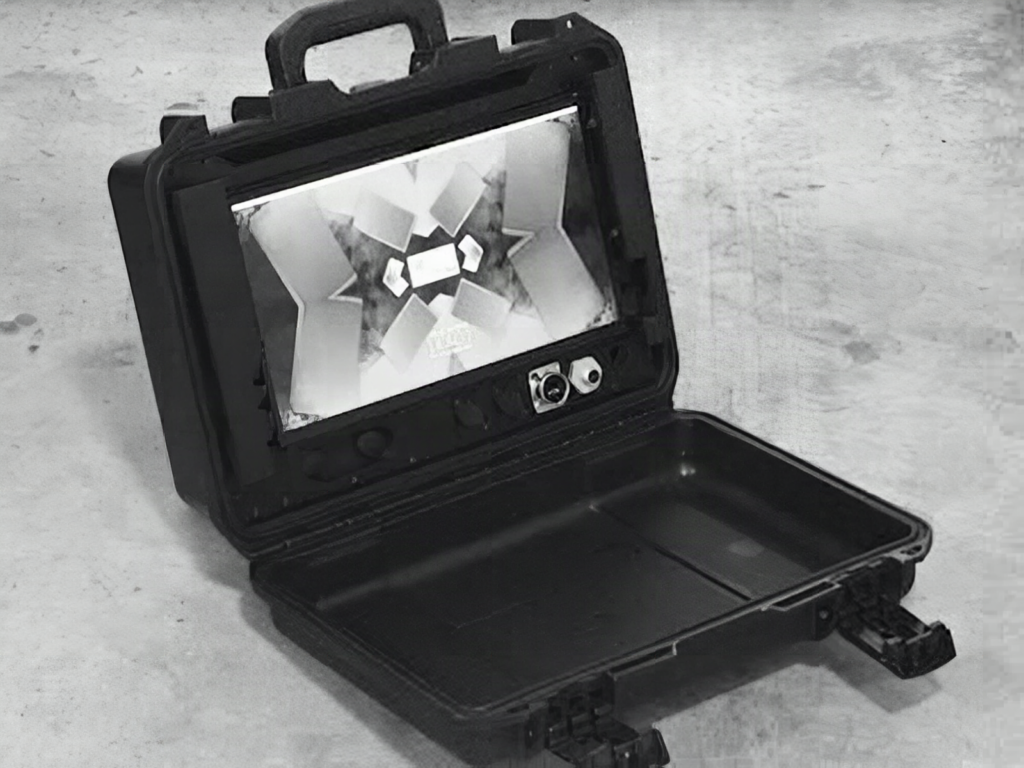
Picture a battered Pelican case on a field desk, lid flipped open, and a 13.3-inch AMOLED screen glowing where the foam should be. That is Jay Doscher’s Recovery Kit 3, a luggable Raspberry Pi cyberdeck that runs for hours with no wall outlet in sight. Hackster News covered the build.
What he built
Doscher has iterated on this idea since the original Recovery Kit, then the Recovery Kit 2 and 2b. Version 3 adds two removable batteries and a modular compute unit, and it needs no soldering, so a first-timer with a screwdriver can put one together. The brain is a Raspberry Pi 4 Model B. He chose it on purpose because a Pi 5 costs more than the job needs, and the compute unit can take a Pi 5 later.
How he built it
The body is a Pelican Storm iM2200 case. A Waveshare 13.3-inch AMOLED panel sits in the larger half and becomes the lid, while panel-mount USB, Ethernet, and GPIO connectors sit below it. Two Smallrig V-Mount batteries, each 99Wh, power the machine: one feeds the display, the other feeds the Pi.
Here is the gotcha. Neither battery is hot-swappable, because there is no buffer circuit between them and the load. Pull the display battery and the screen dies; pull the Pi battery and the computer drops. Doscher also found the case bigger than his printer bed, so the frame mixes laser-cut aluminum with printed plastic handles instead of one large printed panel.
The takeaway
Splitting power into two independent rails is a cheap way to keep a bright AMOLED panel from browning out a Pi 4, which wants a steady 5V at up to 3A. Try it on your bench first: power a Pi from one pack and your display from another, then compare how each behaves under load. Build files and notes live behind the source article, and Pi boards are stocked at circuit.rocks.
Frequently Asked Questions
What computer runs the Recovery Kit 3?
A Raspberry Pi 4 Model B sits inside a modular compute unit. Doscher chose it for cost, and the design can take a Raspberry Pi 5 or another board later.
Can I swap the batteries while it runs?
No. The two 99Wh V-Mount batteries are not hot-swappable because no circuit buffers the loads. One battery powers the display and the other powers the Pi.
What will I learn if I build this?
You will practice splitting power across separate rails, mounting panel connectors for USB, Ethernet, and GPIO, and combining laser-cut metal with printed parts in a rugged enclosure.
