
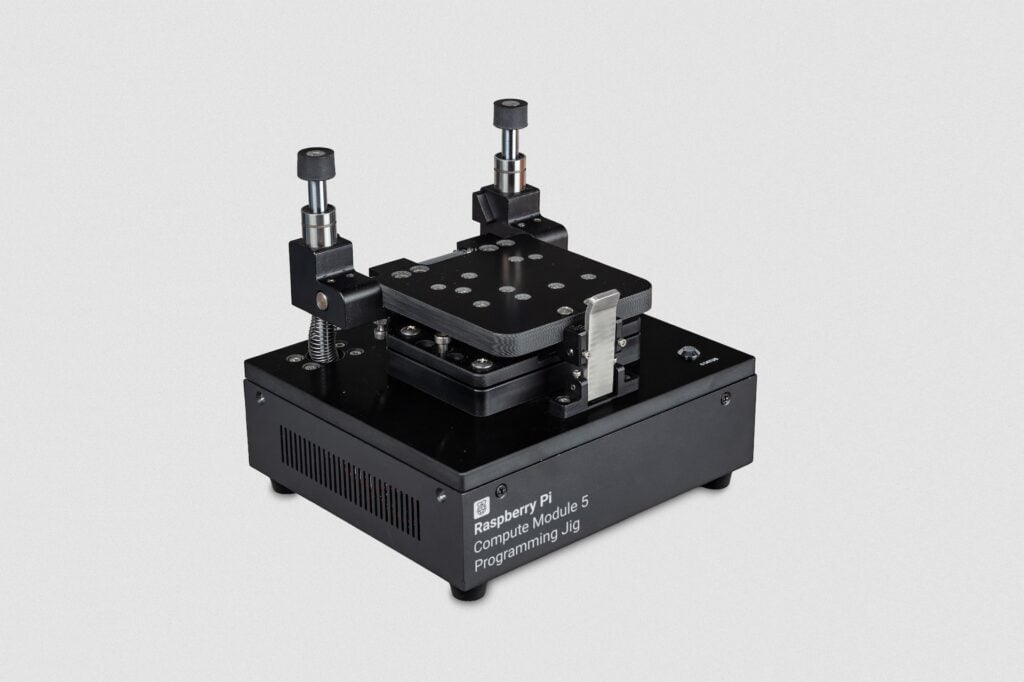
How do you write the same operating system onto a hundred Compute Modules without turning your bench into a week of USB cables and re-seated ribbon connectors? Raspberry Pi’s answer is a purpose-built box: the Compute Module 5 Programming Jig, now shipping at $600 through Approved Resellers.
What the jig actually does
It is a single-head provisioning station. You drop a CM5 into the module bay, press the clamp shut, and a status LED tells you when the module has been written. No terminal session, no rpiboot dance, no wiggling a cable to get the eMMC to enumerate. The back panel carries two Ethernet jacks, JIG ETH for the jig itself and DUT ETH for the module being programmed, plus a USB port used only to update the jig’s own software. Wire both Ethernet ports into the same switch and the cycle runs faster.
The technical answer: Raspberry Pi OS underneath
The jig is not a sealed appliance. It runs rpi-image-gen and rpi-sb-provisioner, the same two tools Raspberry Pi publishes for building custom images and handling secure boot. So one clamp-press writes a bare OS, burns secure-boot keys, and sets up full-disk encryption in a single pass. Those are exactly the steps that go wrong when a human does them 200 times in a row.
Raspberry Pi Imager v2.0.11 promoted Compute Module writing to general availability, which means you can customise the jig’s own OS with the tool you already use for SD cards: Wi-Fi credentials, user accounts, security policy. The CM5 on the receiving end is a BCM2712, quad-core Cortex-A76 at 2.4 GHz, so whatever image you push has to be arm64.
Try the idea at your own scale
At $600, roughly PHP 34,000, this is a factory tool and not a club-budget purchase. The concept scales down, though. A capstone team assembling 20 identical ESP32 or Pi Pico sensor nodes can build the same thing for the price of a coffee: solder a row of pogo pins to perfboard, line them up with the programming pads on your PCB, and add a 3-pin header for GND, SWDIO, and SWCLK. Clamp the board, run the flash script, move on. Leaving proper test pads on your PCB during layout is what makes that possible later, and it is the single cheapest thing you can do to make a small production run survivable.
Read the full announcement at raspberrypi.com, and if you want the provisioning half without the hardware, rpi-sb-provisioner is on the Raspberry Pi software sources page and works on a plain Pi 5.
Frequently Asked Questions
What does the Compute Module 5 Programming Jig actually write to the module?
One clamp press installs a bare Raspberry Pi OS image, burns secure-boot keys, and enables full-disk encryption. It uses rpi-image-gen for image construction and rpi-sb-provisioner for the security steps, so the jig runs the same tooling Raspberry Pi publishes for manual provisioning.
How much does it cost, and do I need one for a small project run?
It is $600, roughly PHP 34,000, sold through Approved Resellers, and it programs one module at a time. For a run of 10 to 50 boards a homemade pogo-pin fixture on perfboard does the same job for a few hundred pesos. The jig earns its price when you are shipping a commercial CM5 product and need repeatable secure boot.
What will I learn if I build a programming fixture like this?
You pick up the production side of embedded work that classes rarely cover: laying out test pads on a PCB so it can be programmed after assembly, wiring SWD or UART lines through pogo pins, and scripting a flash-and-verify cycle so a teammate can run it without reading your notes. Those skills carry directly into thesis defense demos and any hardware internship.
