
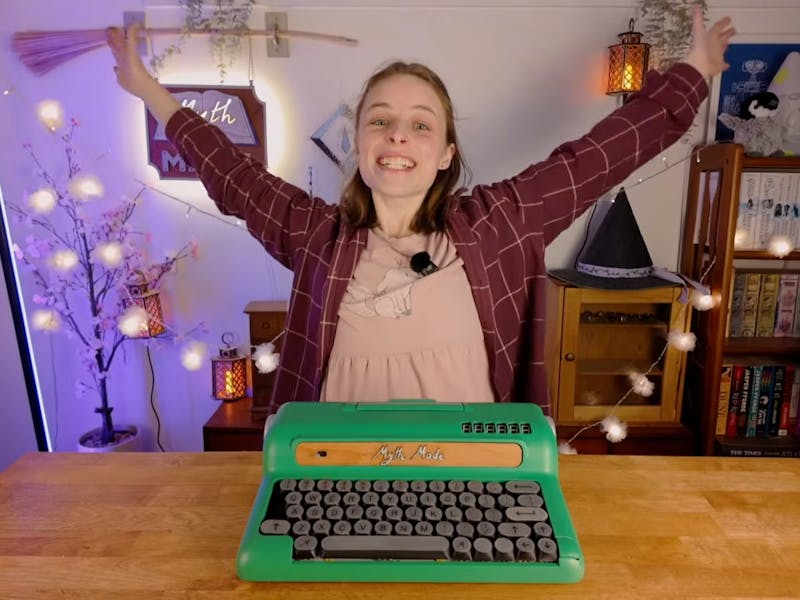
A blinking cursor in a browser tab is where good writing goes to die. Notifications, open chats, and a dozen other tabs all compete for attention that should be going onto the page. That is the problem a “writerDeck” solves: a single-purpose machine that boots straight into a text editor and does nothing else. Jamie of Myth Made wanted one that also looked the part, so she built an E Ink typewriter that pairs the calm of an ePaper screen with the charm of a vintage desk machine.
Jamie followed the writerDeck idea but gave it a typewriter body she designed from scratch in CAD over several weeks. The keyboard started life as a cheap USB board; she reused the PCB and switches, then made round-top keycaps to echo old typewriter keys. To label them she painted the caps, laser-engraved the wet paint so it fused into the plastic, and wiped off the excess. The shell was printed in sections, bonded with an ABS-acetone slurry, sanded smooth, and finished in a green paint job.
What is driving it
The electronics follow the open-source Zerowriter blueprint. At the center sits a Raspberry Pi Zero 2 W, a quad-core board small enough to hide inside the case, feeding a Waveshare ePaper display over the Pi’s SPI pins. A rechargeable 3.7V lithium cell keeps it portable. The Zerowriter software already handles the slow refresh quirks of E Ink, and Jamie extended it (with some AI help) to add cursor movement and copy/paste. On the sides she wired a rotary encoder that doubles as a menu button and scroll wheel, plus a six-digit seven-segment LED display that shows the live word count. A hand-cranked rack-and-pinion even lifts the screen out of the body like paper rolling out of a typewriter.
Build your own version
You can get the core running for far less than a commercial e-reader. The shortlist is a Raspberry Pi Zero 2 W, a Waveshare 4.2-inch or larger ePaper module, a USB or hand-wired mechanical keyboard, a LiPo cell with a charge board, and a rotary encoder. The encoder needs two GPIO pins plus a common ground, and the ePaper hat drops onto the SPI header, so almost none of it requires soldering if you buy the HAT version. Start with the Zerowriter software on a fresh Raspberry Pi OS Lite image, confirm the display refreshes, then add the encoder and word-count readout once the basics work. The full build notes are on the original Hackster writeup.
Frequently Asked Questions
What computer runs the E Ink typewriter?
A Raspberry Pi Zero 2 W drives everything. It runs the open-source Zerowriter software on Raspberry Pi OS Lite and pushes text to a Waveshare ePaper display over the Pi’s SPI pins.
How does it show the word count?
A six-digit seven-segment LED display wired to the Pi shows the live word count of the current document, and a side-mounted rotary encoder handles the menu and scrolling.
What will I learn if I build this?
You will practice wiring an SPI ePaper display, reading a rotary encoder over GPIO, powering a project from a LiPo cell safely, and modifying open-source Python so the code fits your own hardware.
