
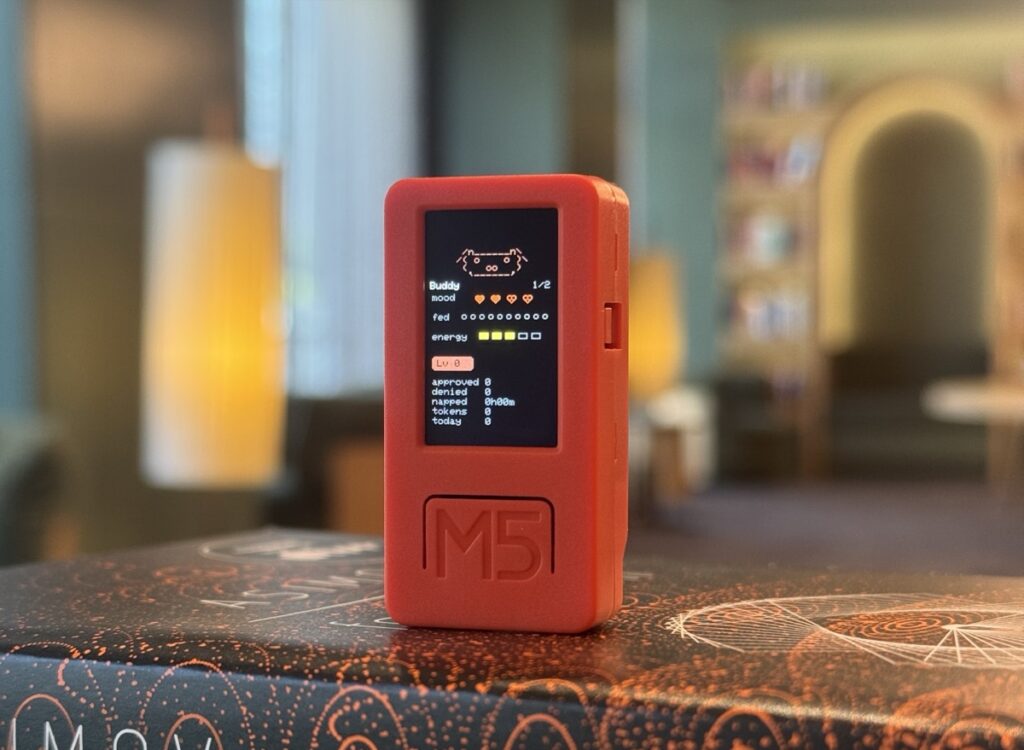
Anthropic’s Claude desktop apps now have a maker-friendly Bluetooth path that lets a small device react to what Claude is doing in real time. A recent Adafruit post highlighted this setup through a compact ESP32 desk buddy build, and the idea is simple but exciting: your hardware can wake up when a Claude session starts, show status updates, and even handle approval prompts from the desktop app.
For makers, this opens up a fun new space between AI software and physical computing. Instead of keeping everything on the screen, you can move part of the experience onto a handheld device, a desk display, or even a custom robot project.
What the project does
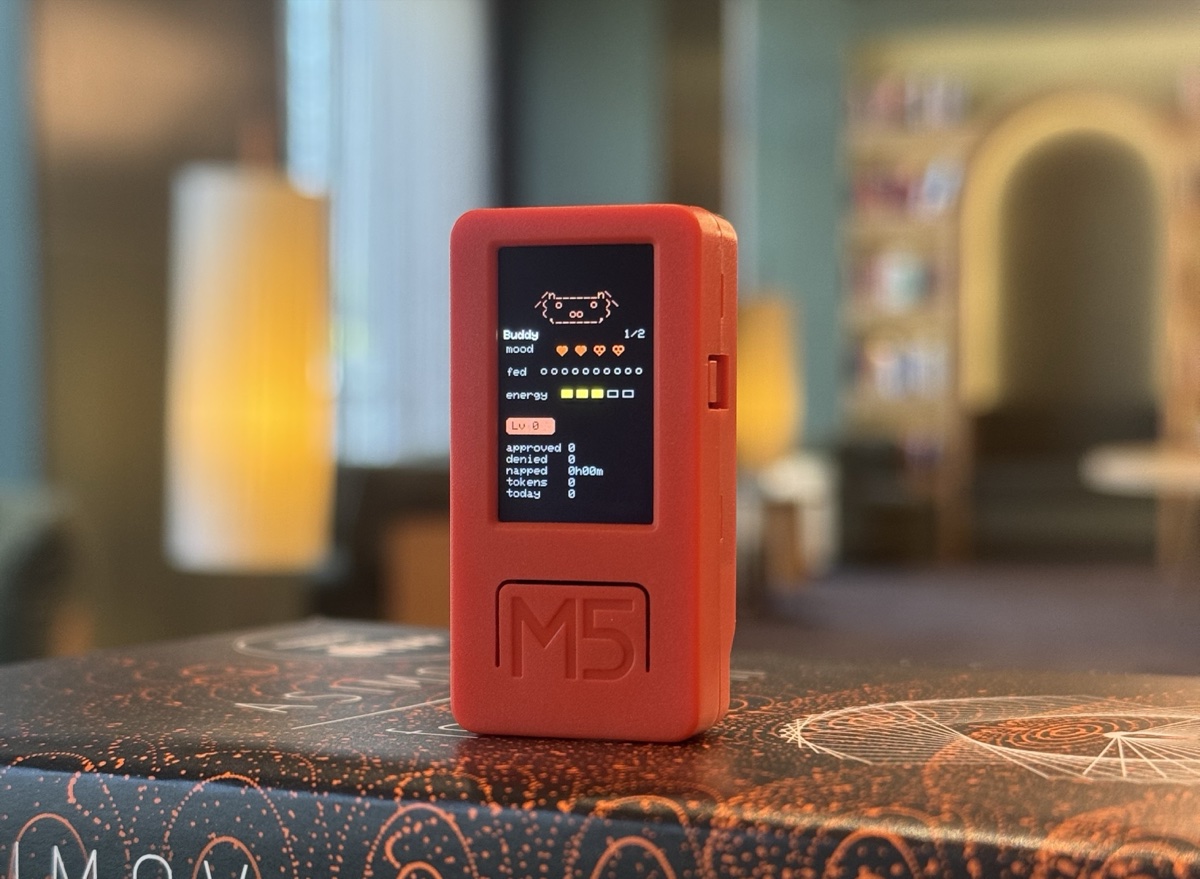
The reference build uses an ESP32-based M5StickC Plus and connects to Claude over Bluetooth Low Energy. Once paired, the device can show live status from Claude Cowork or Claude Code, including whether a session is running, whether Claude is waiting for approval, and short recent message updates. The sample firmware turns that into a desk pet that changes behavior based on activity.
Why this stands out
ESP32 projects often send data to phones, dashboards, or web apps. This project flips that idea around. Here, the ESP32 becomes a small companion device for an AI workflow. It is not just sending sensor data out. It is receiving meaningful state from Claude and turning that into something visible, physical, and interactive.
That makes it a great example for students, hobbyists, and developers who want to explore where embedded hardware and AI tools can meet. A simple display, buttons, motion, LEDs, or sound can all become part of the user experience.
How the Bluetooth side works
According to Anthropic’s public reference, the desktop app uses the Nordic UART Service over BLE and sends newline-delimited JSON messages. Devices that advertise the right BLE service and can parse those messages can receive heartbeat snapshots, status data, recent entries, token counts, and permission prompts. A device can also send approval or deny responses back to the desktop app.
That means builders are not locked to one exact piece of hardware. The sample firmware targets ESP32 with the Arduino framework, but the protocol itself is open enough for other BLE-capable maker devices too.
Reference hardware in the demo
The demo firmware in Anthropic’s example is built for an ESP32 device using the Arduino framework and depends on the M5StickC Plus library for the display, IMU, and button drivers. If you are using another ESP32 board, you would likely need to adjust the hardware-specific parts while keeping the BLE logic and message handling flow.
Before you try it
There are two details worth knowing first. The Bluetooth bridge is off by default, and pairing requires enabling Developer Mode inside the Claude desktop app. Anthropic also notes that this BLE path is meant for makers and developers and is not presented as an officially supported product feature.
Even so, it is a strong example of what is possible when desktop AI tools expose simple interfaces that hardware builders can use. For anyone interested in ESP32, BLE, small displays, or creative human-computer interaction, this is a project worth studying.
Source and official references
You can read the original Adafruit blog feature here: Making an ESP32 device which connects to Claude over Bluetooth.
The official Anthropic example firmware is here: claude-desktop-buddy on GitHub.
The BLE protocol reference is here: Hardware Buddy BLE Protocol.
Claude Cowork overview: Anthropic Claude Cowork.
Frequently Asked Questions
What does the ESP32 Claude buddy do?
A small ESP32 device that connects to Anthropic’s Claude desktop app over Bluetooth Low Energy. It shows live status from Claude Cowork or Claude Code, including session activity, approval prompts, and recent message updates.
What hardware does the demo firmware target?
The reference build uses an M5StickC Plus and depends on the M5StickC Plus library for the display, IMU, and buttons. The BLE protocol is open enough that other ESP32 boards work with adjustments to the hardware-specific code.
How does the BLE side work?
The desktop app uses the Nordic UART Service over BLE and sends newline-delimited JSON. Devices advertising the right BLE service receive heartbeat snapshots, status data, recent entries, token counts, and permission prompts, and can send approval or deny responses back.
Is the Bluetooth bridge enabled by default?
No. The bridge is off by default. Pairing requires enabling Developer Mode inside the Claude desktop app first. Anthropic notes this BLE path is meant for makers and developers, not an officially supported product feature.
