
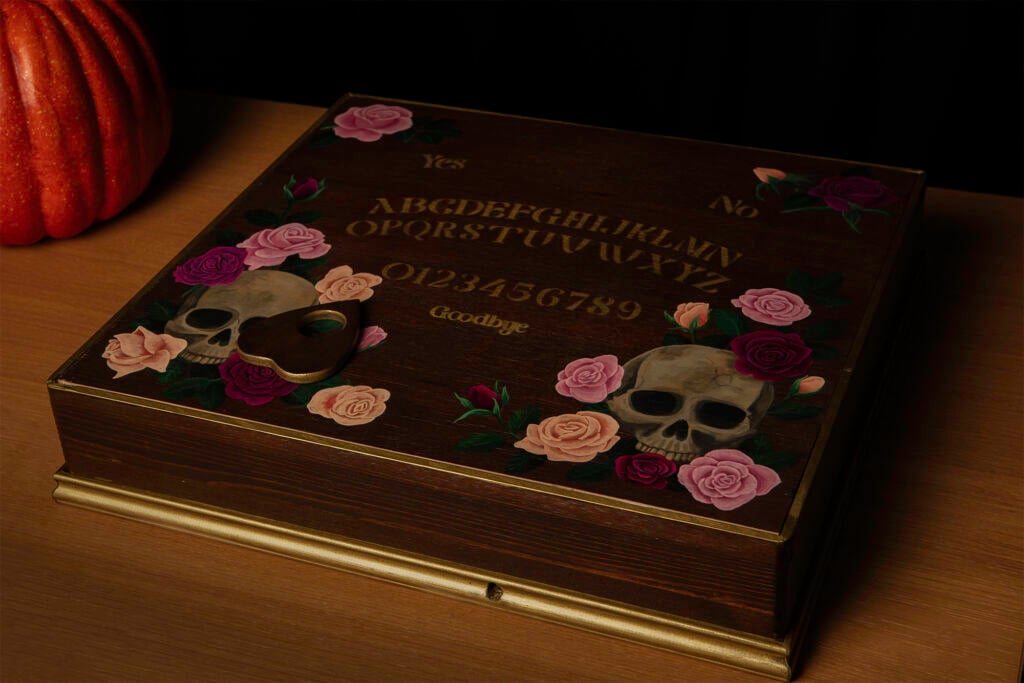
Magnet-driven automation keeps showing up in odd corners of the maker world: self-playing chessboards, kinetic desk toys, and now a haunted talking board. The OuijaCNC build on the Raspberry Pi blog takes the chessboard trick, a magnet dragged under a tabletop, and points it at a Halloween prop.
The build itself
A lightweight core XY gantry sits inside a plywood box, driven by fishing line, a few stepper motors and an ESP32 that was already in the parts drawer. A magnet on the gantry head pulls the wooden planchette across the lid. The tricky part was friction: the planchette is heavy, so the builders added extra magnets to both the planchette and the gantry, plus springs that press the magnets against the underside of the board with no air gap.
What the software does
A retired Raspberry Pi 3 Model B+ now runs Raspberry Pi OS Trixie and a small Python Flask app. Type a word into the web UI and Flask converts each letter into G-code, then sends it over USB serial to the ESP32. The slow job was measuring every letter position by hand and storing the coordinates in a JSON file. Raspberry Pi Connect solved a practical gotcha too: the box moves between networks, so its IP address keeps changing, and Connect gives a way in without hunting for it.
What to try next
The author plans to add a microphone and a language model so the board answers questions on its own. A student version could stay simpler: replace the Pi with an ESP32 serving the web UI over Wi-Fi, and run GRBL-style G-code from there. Another weekend-sized idea is a pull-up button on a spare GPIO pin that triggers a pre-set message. Budget a Pi 3B+ or ESP32, two NEMA 17 steppers and two 5 V limit switches before you buy anything else. Full write-up: raspberrypi.com/news/ouijacnc. Stepper drivers and ESP32 boards are on the shelf at circuit.rocks.
Frequently Asked Questions
How does the OuijaCNC move the planchette?
A core XY gantry under the lid carries a magnet that drags the planchette. Springs keep the magnets pressed against the underside, and extra magnets fight the friction of a heavy wooden pointer.
What hardware does the build need?
A Raspberry Pi 3 Model B+, an ESP32 driving the stepper motors, fishing line and a printed or machined gantry, magnets, springs, and a plywood enclosure. The Pi runs Raspberry Pi OS Trixie and a Python Flask app.
What will I learn if I build this?
You learn core XY kinematics, sending G-code over USB serial, building a Flask web UI, and calibrating coordinates in a JSON file. These skills carry straight into CNC, plotter and robotics capstone projects.
