
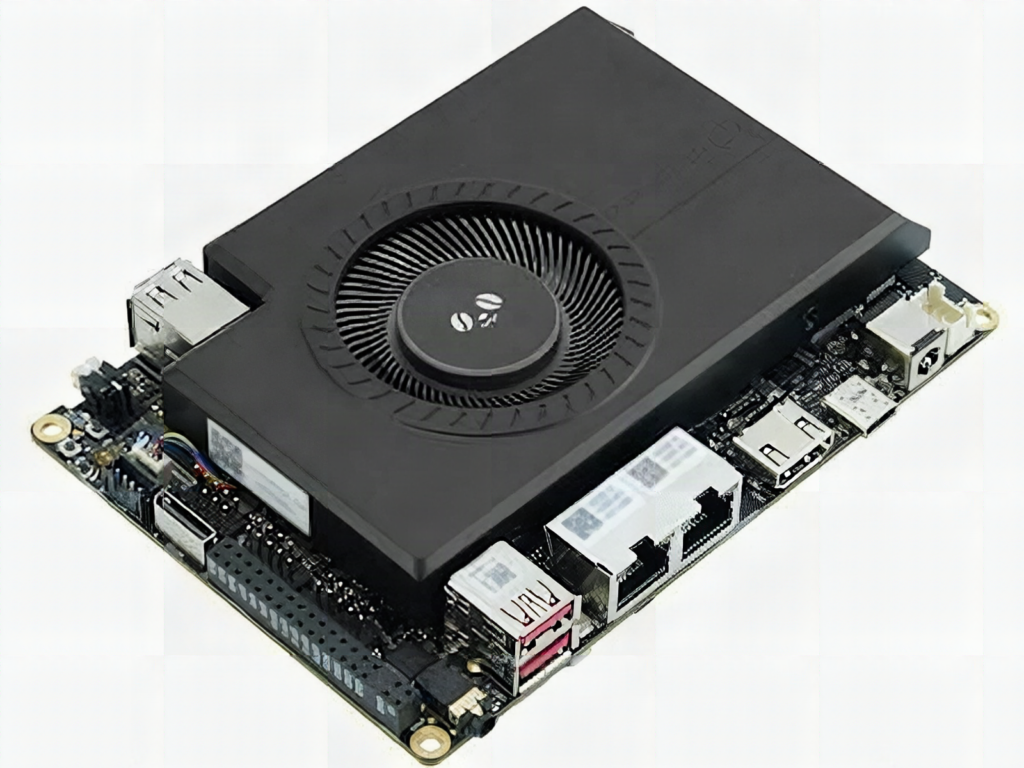
A single board with 64GB of RAM, two 10-gig Ethernet ports and a Raspberry Pi RP2350 sitting next to a laptop-class Intel chip sounds like a server, and LattePanda is calling it one. The Sigma 2 is a pre-order board built to run AI models locally inside a robot or instrument, not in the cloud.
What LattePanda packed in
The main chip is an Intel Core Ultra X7 358H with four performance cores at up to 4.8GHz, eight efficient cores at up to 3.5GHz and four low-power cores at 3.3GHz. Its Arc B390 graphics are rated at 122 TOPS (INT8), and a separate neural engine adds another 50 TOPS. Memory goes up to 64GB of LPDDR5X. Expansion includes three M.2 M-key slots, one M.2 E-key slot, and an OCuLink port carrying two PCIe Gen 4 lanes. Hackster’s launch writeup lists the full port count, including two Thunderbolt 4 connectors.
The part makers should notice
Next to the x86 chip sits an RP2350 microcontroller preloaded with MicroPython firmware. Its job is real-time control: motor PWM, sensor polling and GPIO timing that Windows or Linux on the big chip would handle badly. This split is the same pattern as pairing a Raspberry Pi with an Arduino over serial, except both halves now live on one board and share one power input. The gotcha is that you still write two programs, one for the host and one for the microcontroller, and you need a clean serial or USB protocol between them.
Pre-orders sit at $2,599 on the DFRobot store, $200 below the planned $2,799 retail price. That is far outside classroom budgets, so treat it as a look at where embedded AI is heading rather than a shopping list item.
Build it yourself
You can practise the same host-plus-microcontroller split today for a few hundred pesos. Take a Raspberry Pi Pico (RP2040 or RP2350), flash MicroPython, and read a sensor on one GPIO pin. Print the value over USB serial at 115200 baud, then read it from a Python script on a laptop or Raspberry Pi. Once that loop works, a capstone team can add a camera model on the host and motor control on the Pico.
- If the serial port does not show up, try a different USB cable, since many are charge-only.
- Keep timing-critical code, such as servo pulses, on the microcontroller side.
- Browse Pico boards and sensor modules at circuit.rocks to start the practice build.
Frequently Asked Questions
What does the RP2350 do on the LattePanda Sigma 2?
It runs MicroPython firmware as a coprocessor for real-time control tasks, such as motor, sensor and GPIO timing, while the Intel chip handles heavy compute and AI workloads.
How much does the LattePanda Sigma 2 cost and what are the main specs?
Pre-orders on DFRobot are $2,599 against a planned $2,799. It offers up to 64GB LPDDR5X, 122 TOPS from the GPU plus 50 TOPS from the neural engine, and two 10-gig Ethernet ports.
What will I learn if I build this?
A scaled-down version with a Raspberry Pi Pico teaches you serial protocols, splitting real-time work from high-level code, and MicroPython on a microcontroller, all useful for robotics capstones.
