
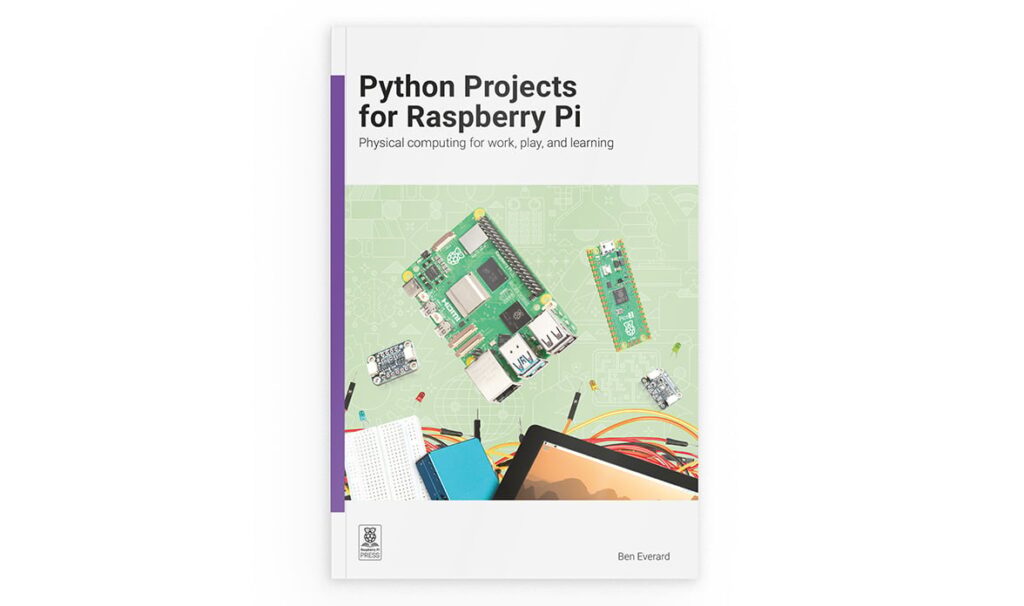
What do you build once you’ve mastered the blinking LED?
That’s the wall most Raspberry Pi learners hit a few weeks in. You can wire a button, light an LED, and print to the shell, but the jump to a real, sensor-driven project can feel like a cliff. Ben Everard’s new book, Python Projects for Raspberry Pi, is built specifically for that “what next?” moment, trading reference-manual dryness for projects you actually finish.
Here’s the technical meat. The book moves quickly past LEDs and buttons into components that talk over I2C, SPI, and UART, the three buses behind nearly every sensor and display you’ll meet. From there it spends more than 40 pages on PIO (Programmable Input/Output), the stripped-down co-processors baked into Raspberry Pi silicon. PIO blocks run independently of the main CPU, so you can emulate custom protocols, drive NeoPixel strips, or read rotary encoders without stealing clock cycles from your main program. The projects cover PIO on the RP2040 (Pico), RP2350 (Pico 2), and RP1 (the I/O chip on Raspberry Pi 5), and even nudge you into extending Python with a little C.
It doesn’t stop at protocols. There’s a full chapter on machine learning: you train a gesture-recognition model from accelerometer data on a Raspberry Pi, then run inference on a Pico 2 to detect a specific flick. The payoff is a magic wand that throws sparkles when you wave it just right. You’ll also build a weather-forecast display, an environmental monitoring station, a handheld game console, and a networked lighting rig made of distributed Pico nodes. A few projects even run a small LLM locally on a Pi, with no AI accelerator required.
Most of the supporting cast, the Pico and Pico 2 boards, I2C and SPI sensors, displays, NeoPixels, and rotary encoders, are stocked at Circuit.Rocks, so you can assemble a parts kit before you crack the cover.
Try it: grab a Pico 2 and a strip of NeoPixels, then work through the PIO chapter first. It’s the single most underused feature on these boards, and once PIO clicks, custom protocols stop being scary and start being a tool you reach for.
Frequently Asked Questions
What is PIO and why does the book spend so much time on it?
PIO (Programmable Input/Output) blocks are small co-processors built into the RP2040, RP2350, and RP1 chips that run independently of the main CPU. They let you generate or emulate custom protocols, such as driving NeoPixel strips or reading rotary encoders, without tying up your main program, which is why the book devotes more than 40 pages to them.
Which boards do the projects target?
The projects run across the Raspberry Pi 5, Raspberry Pi Pico (RP2040), and Pico 2 (RP2350). Several combine a full Pi computer with one or more Picos, such as the networked light controller built from distributed Pico nodes.
I’ve only finished beginner tutorials. What will I actually learn from this book?
You’ll move from LEDs and buttons to reading sensors over I2C, SPI, and UART, building web interfaces, and even training a gesture-recognition model and running inference on a Pico 2. It’s structured to bridge the gap between knowing Python basics and building complete, sensor-driven projects.
