
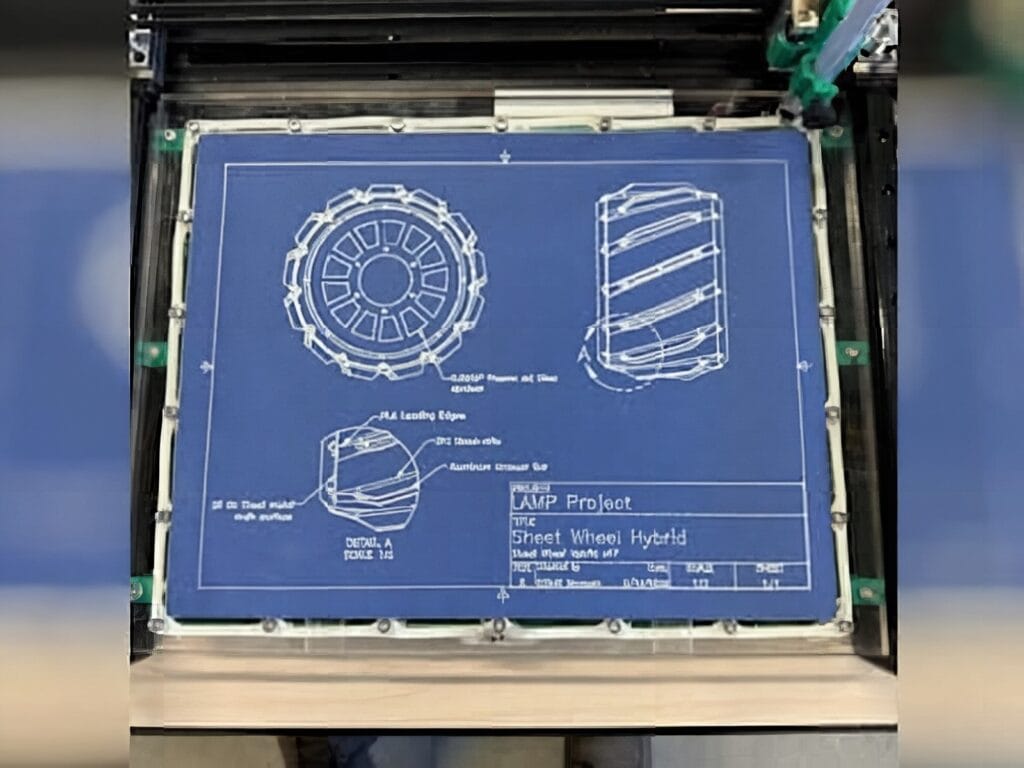
Got an old 3D printer collecting dust? Mechanical engineering and computer science student Elliot Madsen had one too — and he turned its bones into a beautiful 2D pen plotter driven by Arduino’s brand-new dual-brain UNO Q board.
Madsen built the plotter partly out of nostalgia for a slice of engineering history. Pen plotters were essential to early CAD work before inkjet and laser printers took over, and he wanted a way to immortalize his own designs on paper as permanent keepsakes. Rather than buy new hardware, he salvaged the frame and stepper motors from a scrapped 3D printer and rebuilt the motion platform from scratch.
At the heart of the build is a CoreXY mechanism, where two stationary stepper motors at the rear of the frame drive the pen carriage through a crossed belt arrangement. CoreXY keeps the moving mass tiny and lets the steppers stay put, which is great for speed and accuracy. Madsen also baked a belt-tensioning system into the front pulleys to keep his lines crisp.
The brain: Arduino UNO Q
The plotter runs on Arduino’s UNO Q — the first UNO that pairs a Linux-capable application processor with an STMicroelectronics STM32 microcontroller on the same board. Madsen feeds the board the same 12V supply powering the stepper drivers, which sidesteps the step-down converter a Raspberry Pi would have demanded. Classic UNO prototyping shields still fit, which is a nice perk. An Arduino sketch on the STM32 side talks to a Python program on the Linux side, converting vector files into physical pen strokes. A solenoid mounted to a brass-and-aluminum block (which doubles as a heatsink) delivers a satisfying clack when the pen lifts and drops, and four blower fans on the underside of the print bed pull a vacuum to keep the paper from shifting mid-draw.
Build it yourself
The core parts list is refreshingly short: an Arduino UNO Q, two stepper motors and stepper drivers, a 12V power supply, GT2 belts and pulleys for the CoreXY frame, a solenoid for the pen lift mechanism, and a few blower-type fans for vacuum hold-down. Madsen has published the full Fusion files, STEP exports, PDF drawings, and source code on GitHub if you want to retrace his steps. Got a CoreXY 3D printer destined for the scrap heap? This is a fantastic second life for it.
Frequently Asked Questions
What is the Arduino UNO Q and why use it for a pen plotter?
The UNO Q is Arduino’s first dual-brain UNO, combining a Linux-capable application processor with an STM32 microcontroller on one PCB. For this plotter, that means one side can run a Python vector-to-motion converter while the other drives the stepper motors in real time. It also accepts the same 12V supply as the stepper drivers, so there’s no extra step-down converter to wire in.
How does the CoreXY motion system work in this build?
CoreXY uses two stationary stepper motors at the back of the frame, linked to the pen carriage through a crossed belt arrangement. Running both motors in the same direction moves one axis; running them opposite directions moves the other. Because only the carriage and pen move, the plotter can accelerate quickly without losing accuracy.
What will I learn if I build this project?
You’ll get hands-on practice with CoreXY kinematics, stepper motor control, belt tensioning, and salvaging parts from old hardware. On the software side you’ll work with both Arduino sketches and Python — a solid intro to the dual-MCU/SBC workflow that professional gear uses. You’ll also come away with a working machine that turns your digital designs into physical drawings.
